

PlateMate
Project Leader, Research, Product Design, UX/UI Design, Wireframing, User Testing, Prototyping,
Branding
Roles
Samantha Mirabella
Sharon Ou
Yashini Ravindran
Soyoung Jeong
Team
Timeline
Fall 2025 - 12 Weeks
Total Group Hours: 180
Hours Contributed: 90
Figma
Figma Make
Illustrator
Tools
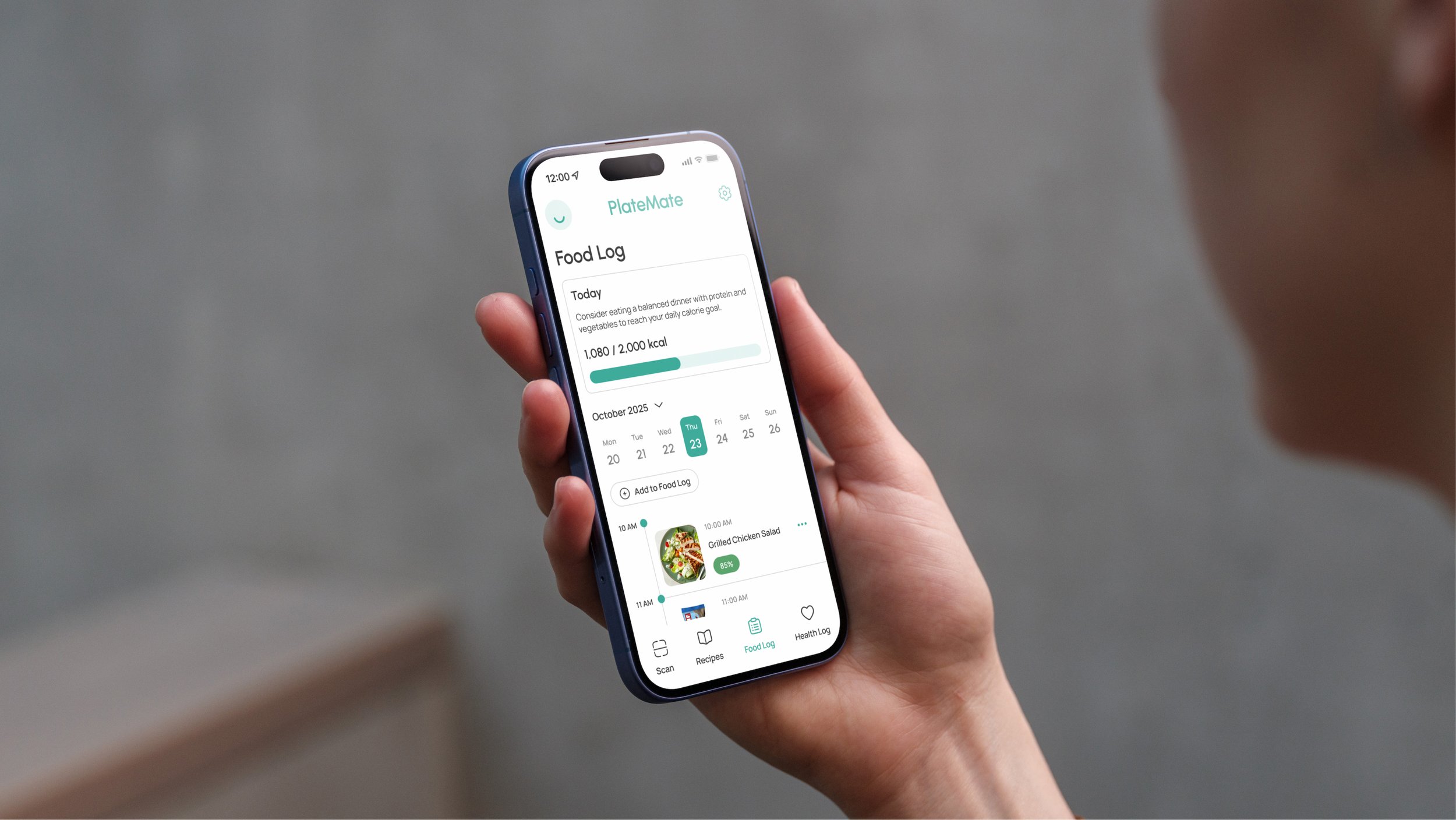
PlateMate is an Al-powered companion that provides dietary guidance based on users’ unique needs and health goals.Product Overview
Context
We were tasked to develop a digital product centered on automation, focusing on how AI could simplify actions for users.Project Brief
The Problem
Individuals with different dietary needs, restrictions, health conditions, or lifestyle goals struggle to find tailored nutrition guidance.
Research & Discovery
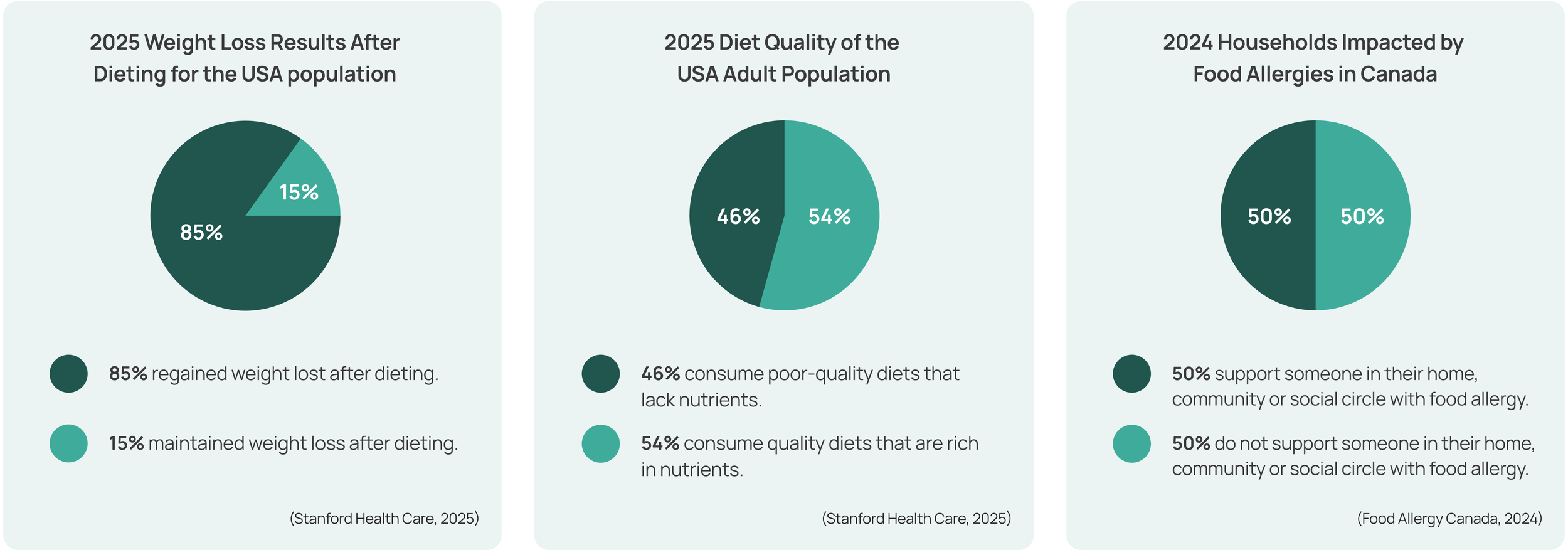
Statistics reveal that there are high rates of diet failure and struggles to meet nutritional requirements across North America. Food allergies affect approximately 220 million people worldwide and in Canada there is a large and growing market for food allergic consumers.Statistics & Facts
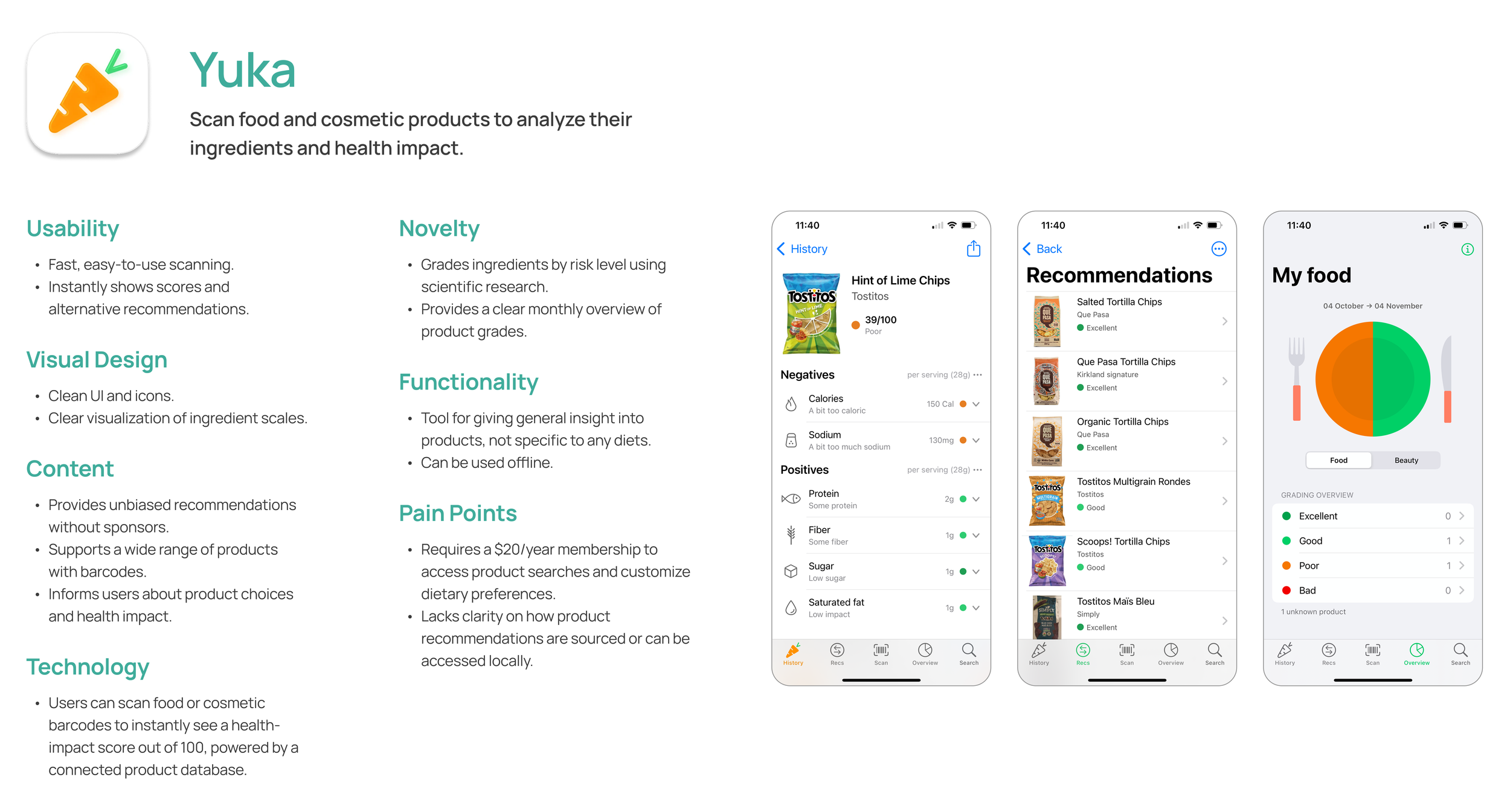
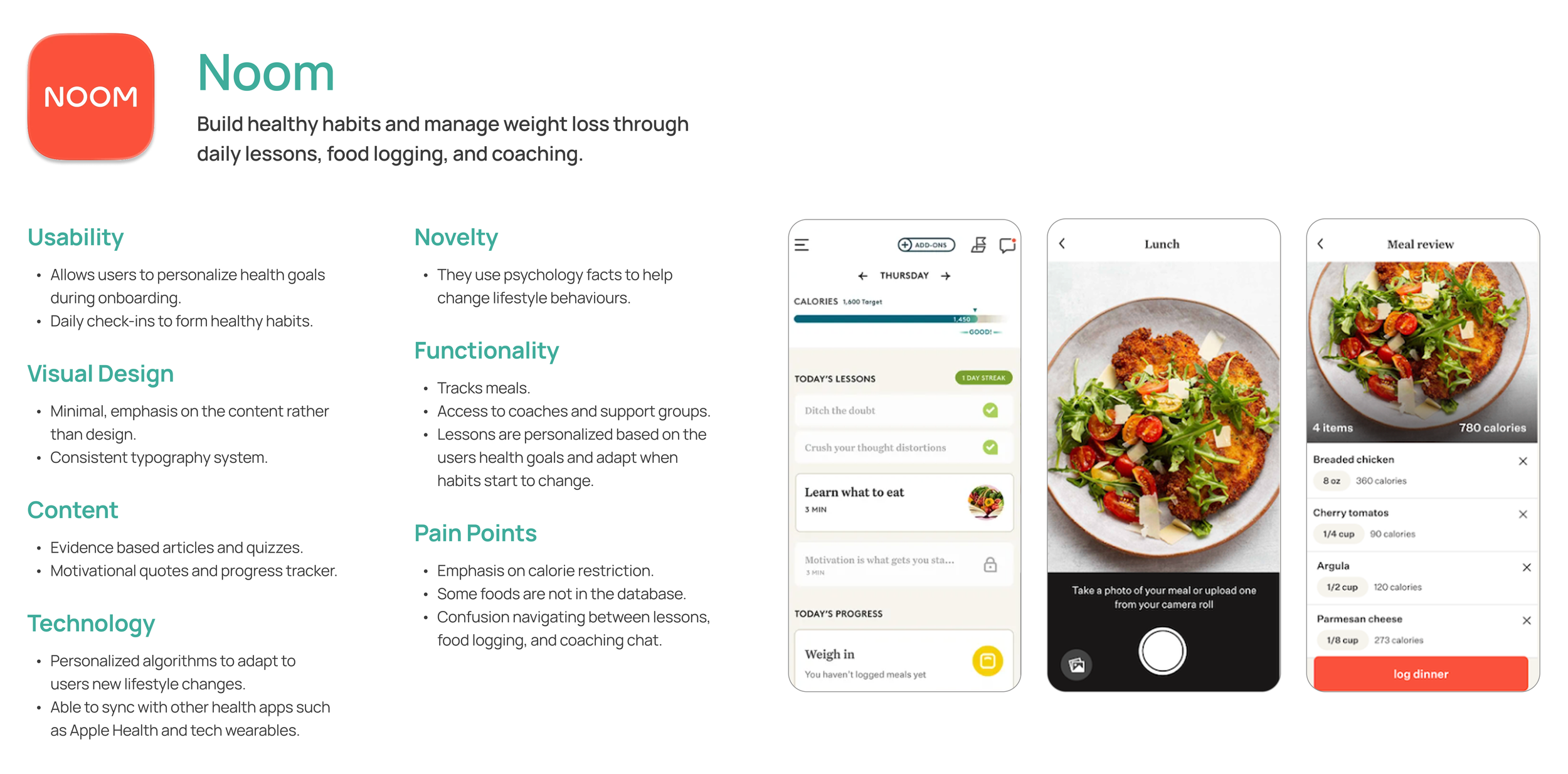
We explored existing health and nutrition apps to identify gaps and opportunities for innovation. By comparing features, interfaces, and user experiences, it helped us determine where Platemate could stand out through its AI-driven personalization and approach to tracking meals.Benchmark Analysis
User Research
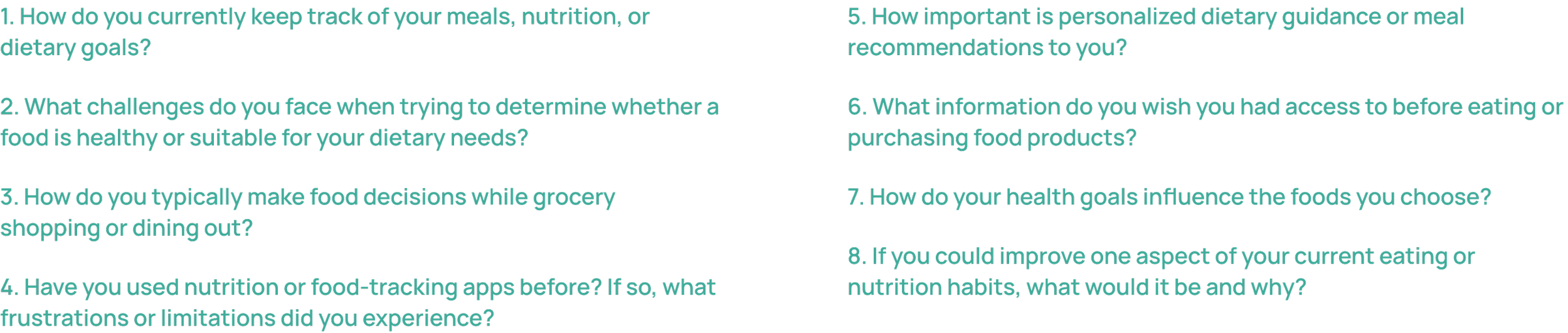
Our research highlighted the importance of accessible personal dietary guidance. I further conducted interviews with 6 individuals, 3 young adults, and 2 adults to identify pain points and behaviours. I came up with the following questions to ask participants.User Interviews
After gathering user insights, I organized my data through affinity mapping to discover common themes. Through this method, I formed 5 main themes.Affinity Mapping

Solution
User Modelling
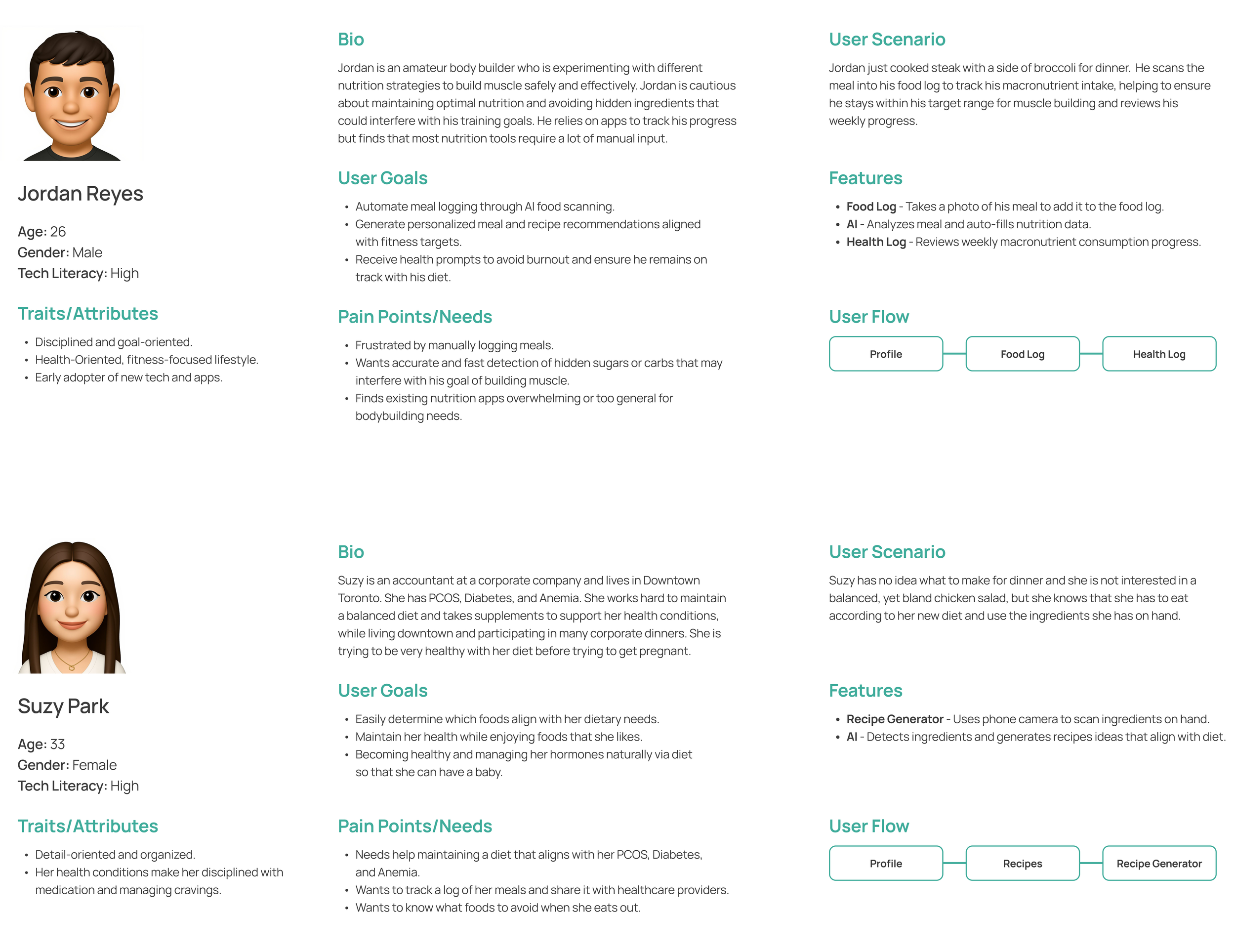
The user personas represent the target audience for PlateMate, highlighting their pain points, needs, and goals. Defining personas informed the design of the product’s features to ensure they are intuitive and address real user challenges.User Personas
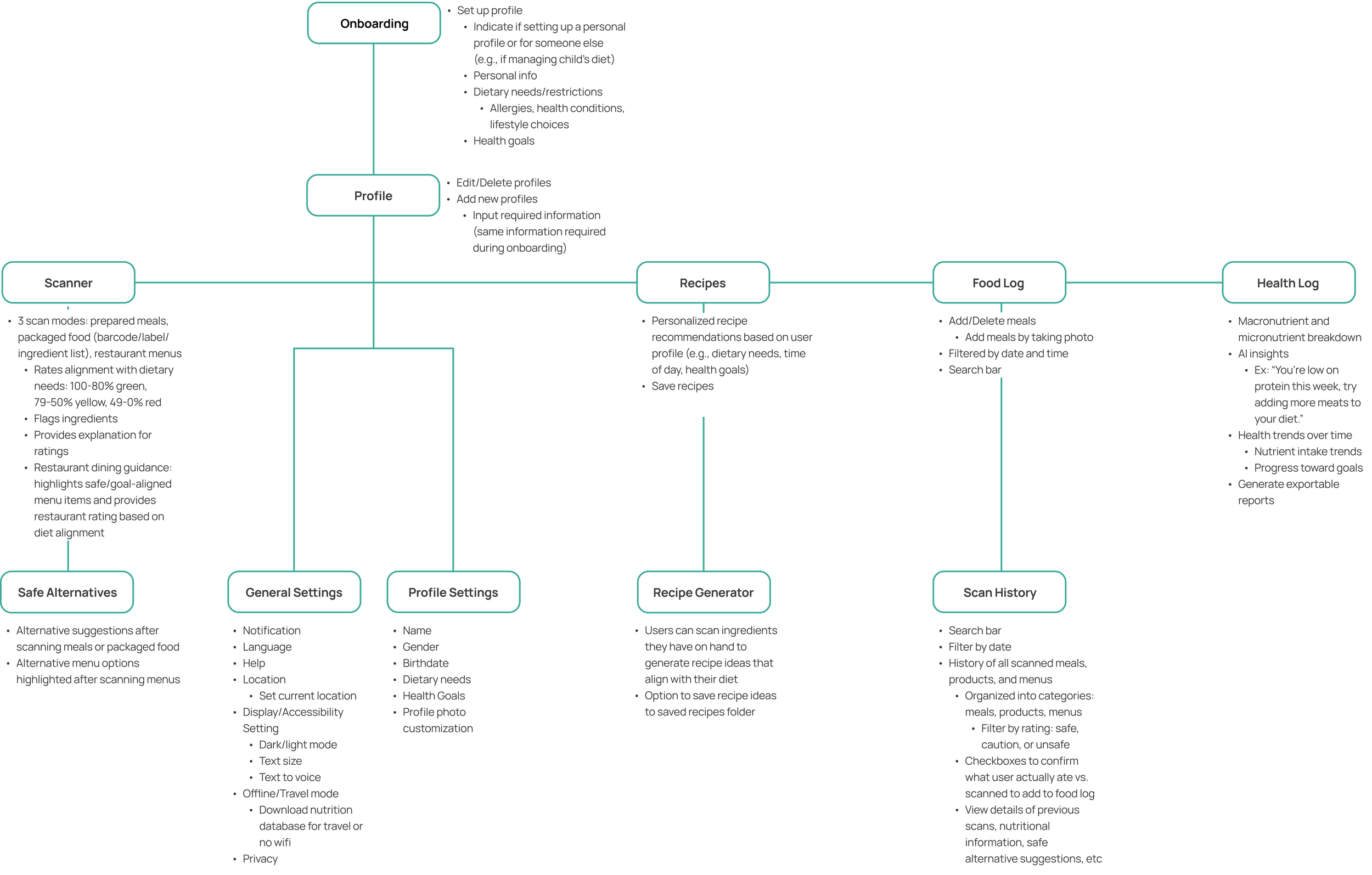
The structure of the app was developed based on its key features. The user first goes through the onboarding process to set up a profile based on dietary needs or health goals and can edit this information any time through their profile. The key pages in the navigation bar include the scanner, recipes, food log, and health log.System Map
Prototype
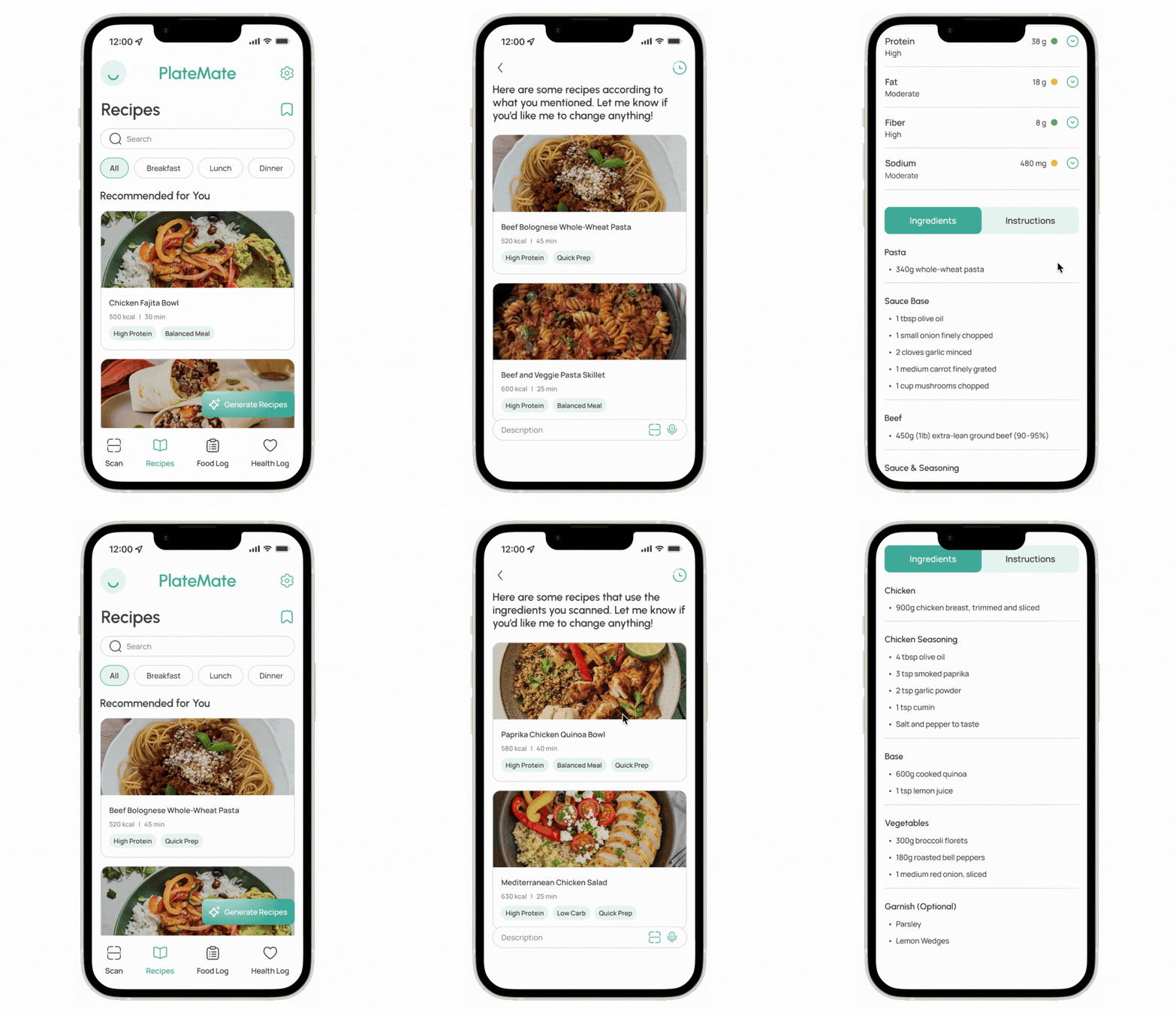
Instantly scan packaged foods, meals, or restaurant menus to assess dietary compatibility and access detailed nutrition breakdowns. PlateMate will also automatically suggest alternatives for meals, products, or menu dishes that may better align with users diets.
Scan Products, Meals, and Menus
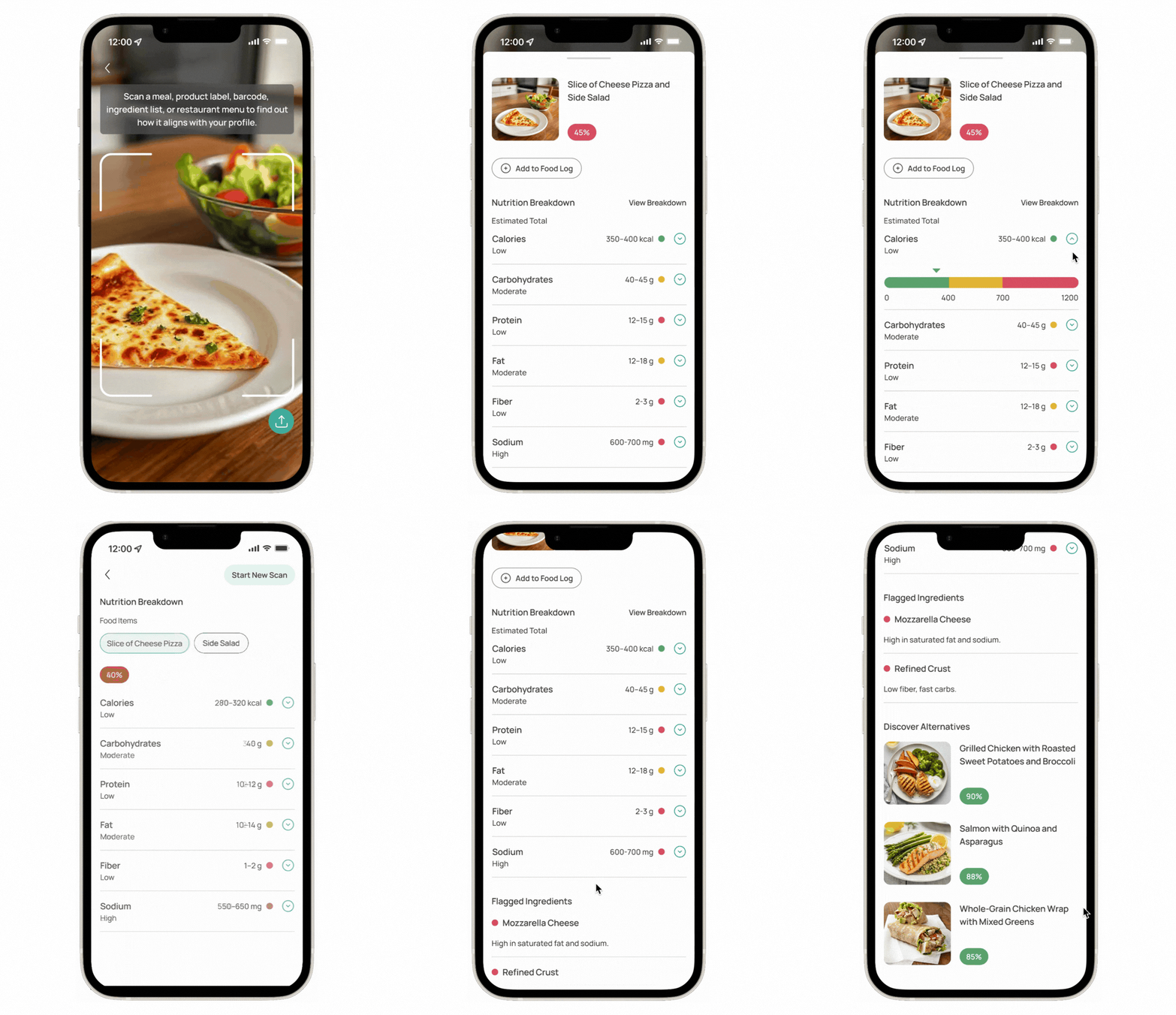
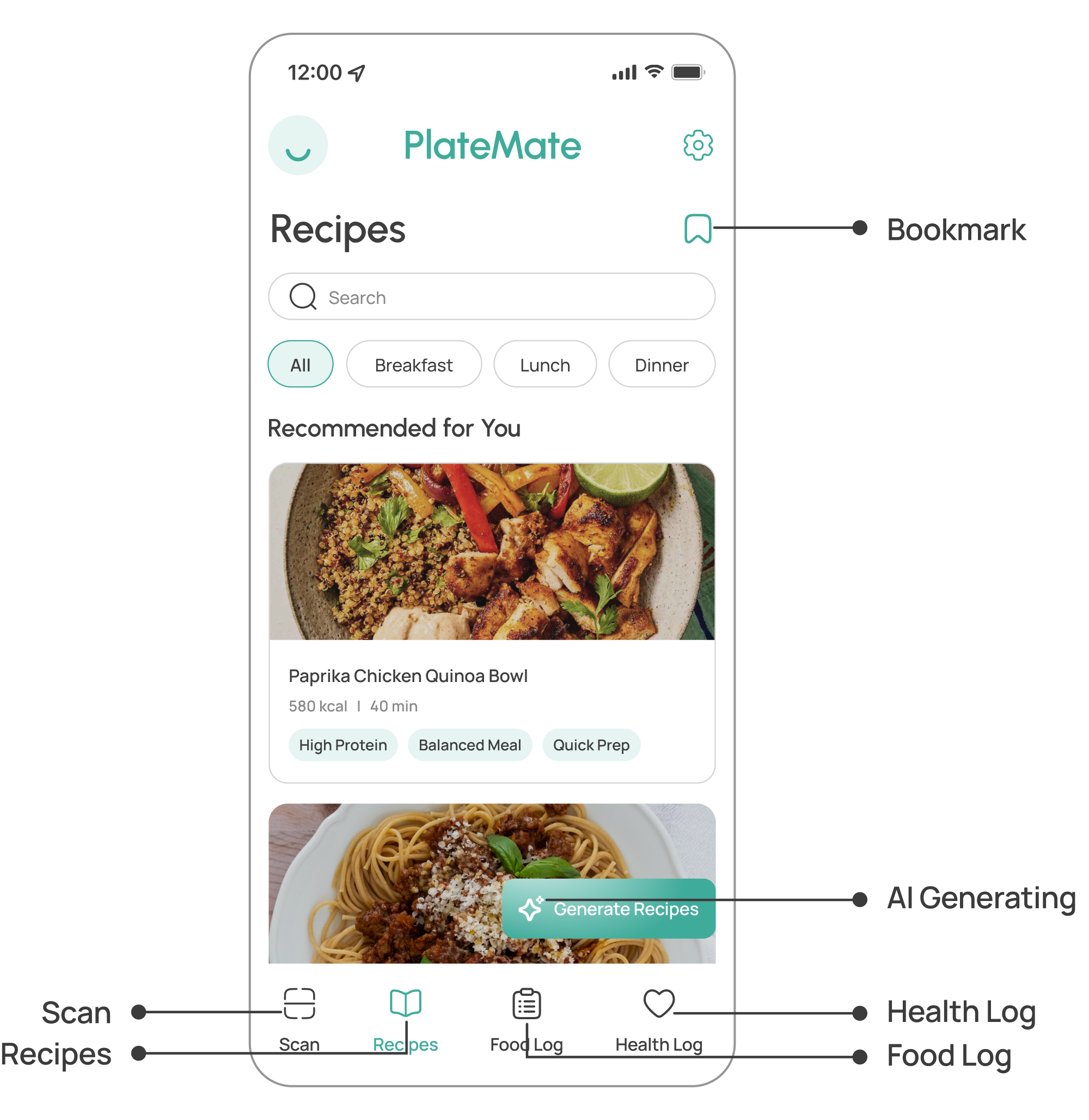
Chat with PlateMate using text or voice to generate custom recipes tailored to dietary needs. The AI-driven assistant ensures every meal fits users’ unique needs. Users even have the option to scan the ingredients they have on hand to generate recipes that incorporate them.
Generate Personalized Recipes
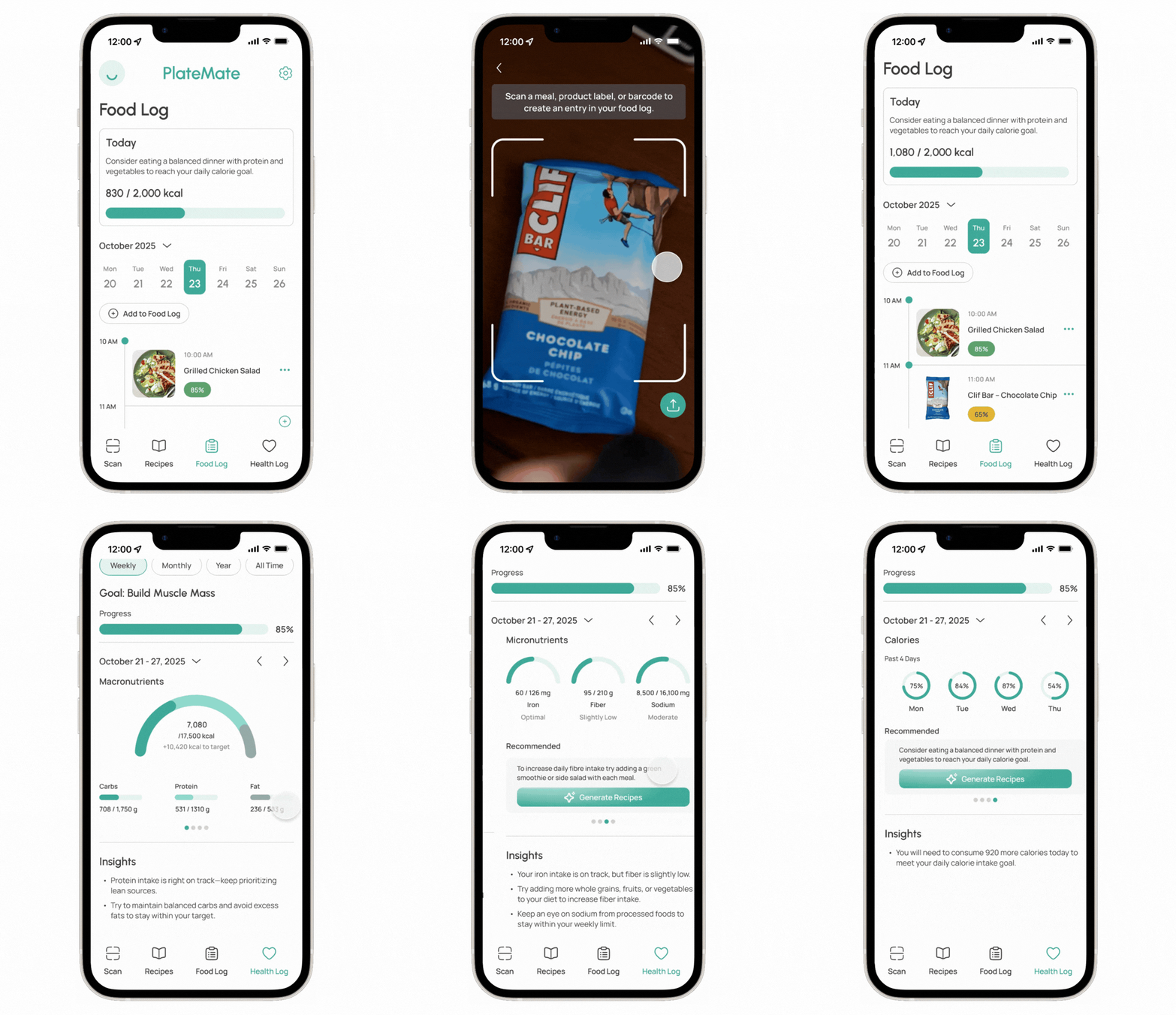
Seamlessly record daily meals in the food log to track nutritional intake and progress towards health goals. Through the health log, PlateMate helps visualize trends and keeps users accountable to their health or fitness objectives.
Track Meals and Health Goals
Design System
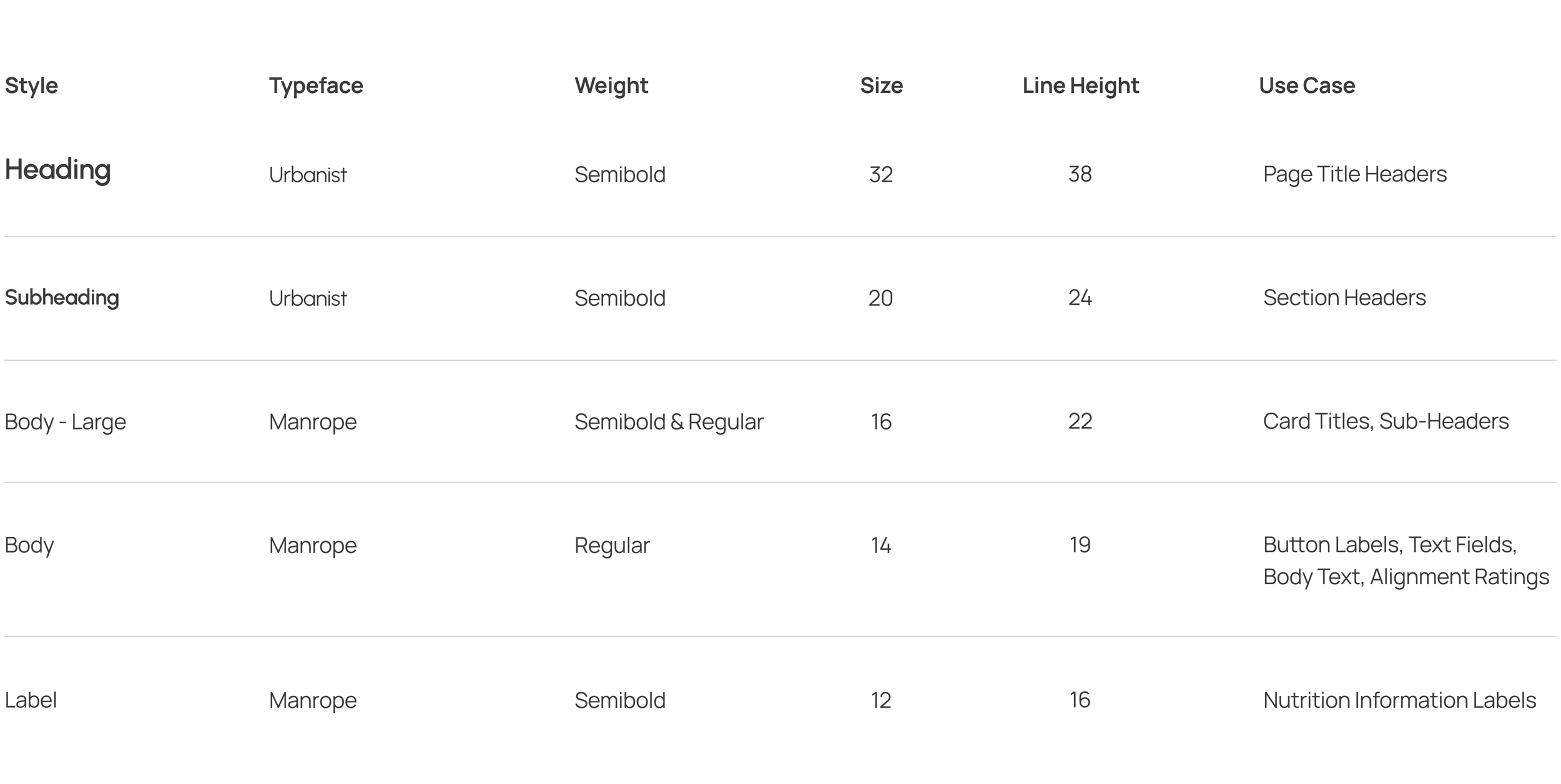
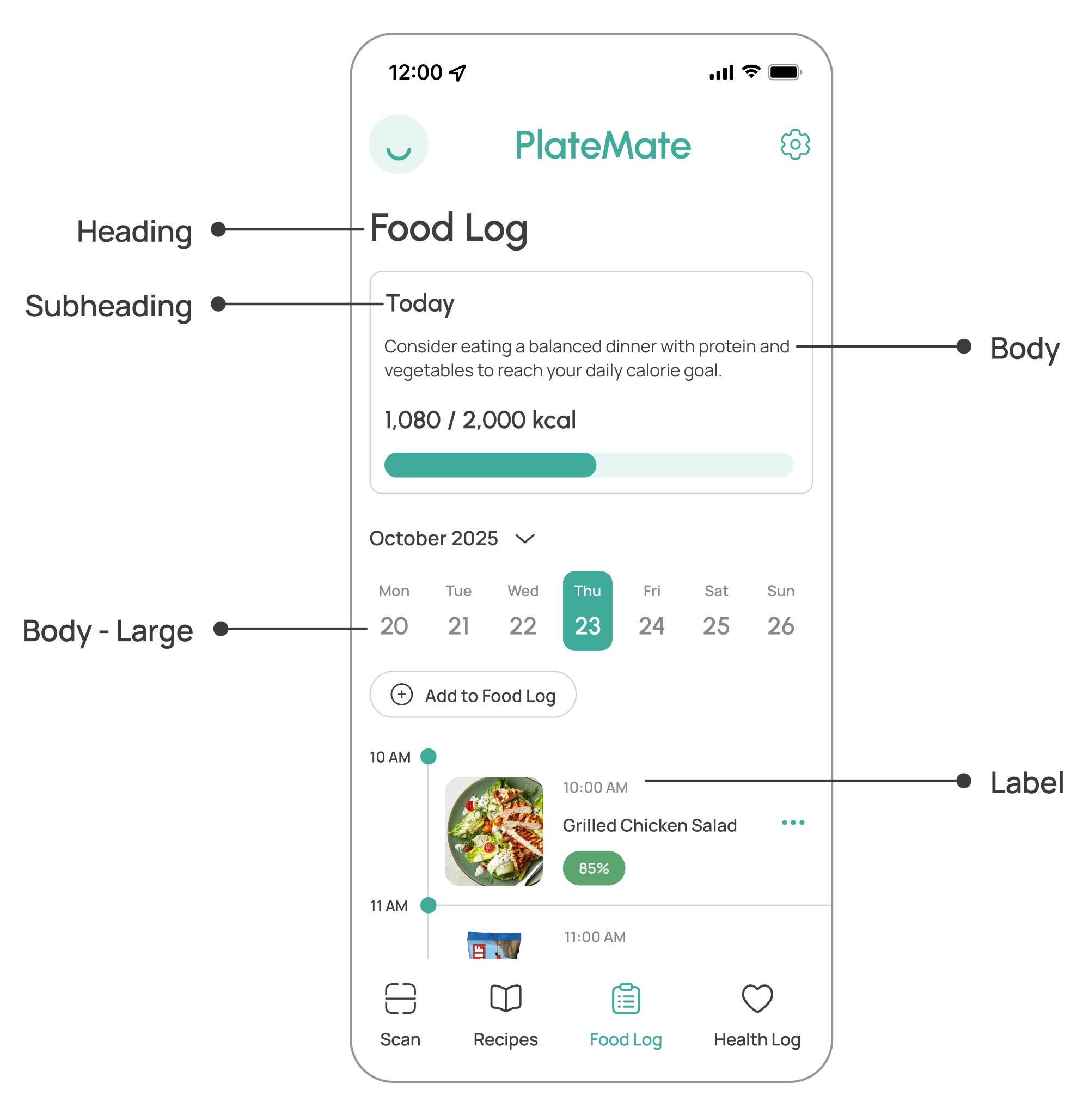
Clear typography guidelines are applied consistently throughout the app design.Typography
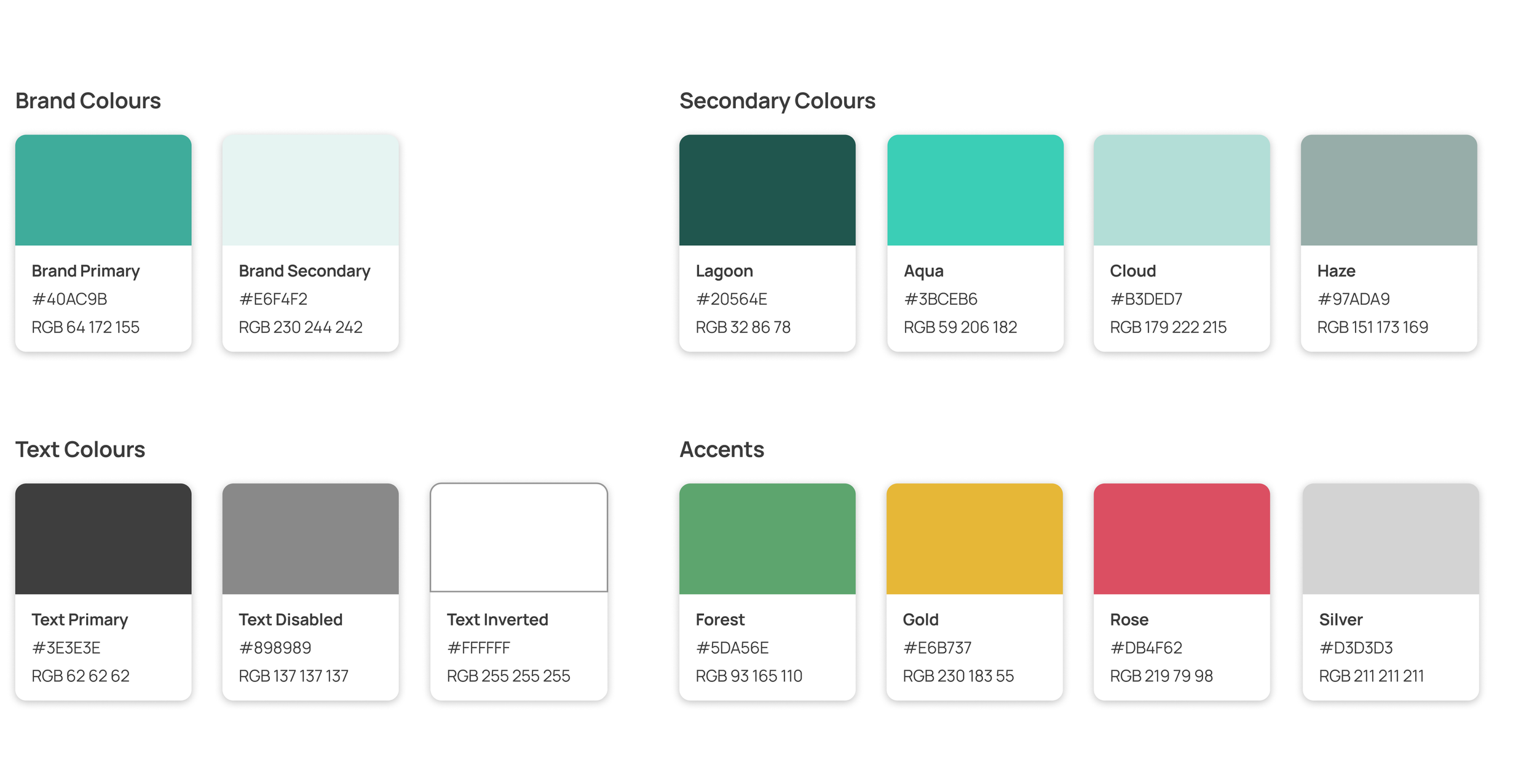
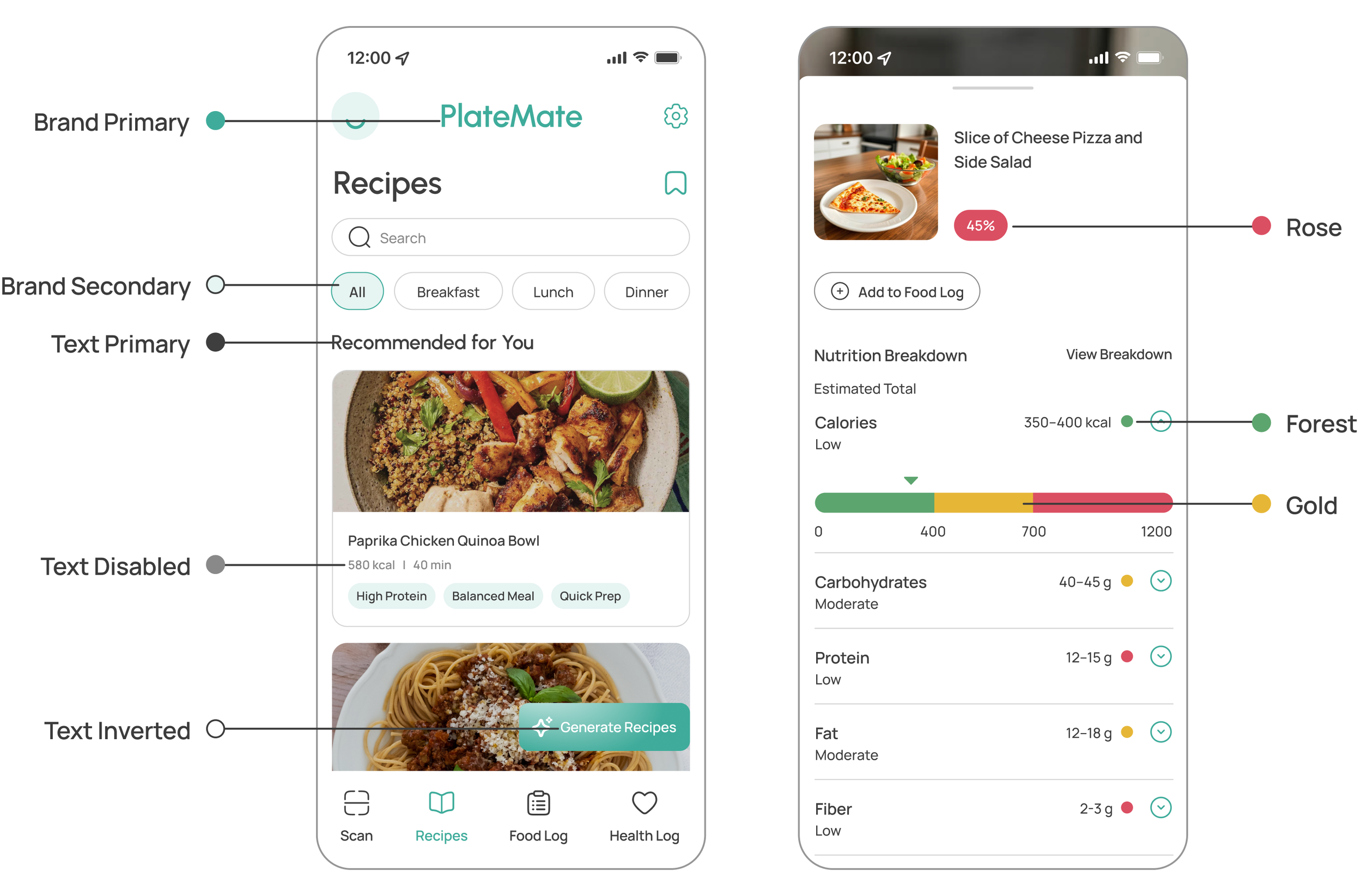
The colour palette reflects the platform’s branding to reinforce a sense of trust and safety. Accent colours are incorporated for the percentage ratings that inform users how well food products and meals align with their diets.Colours
Iconography
A streamlined set of icons are used throughout the app to ensure a unified and professional style.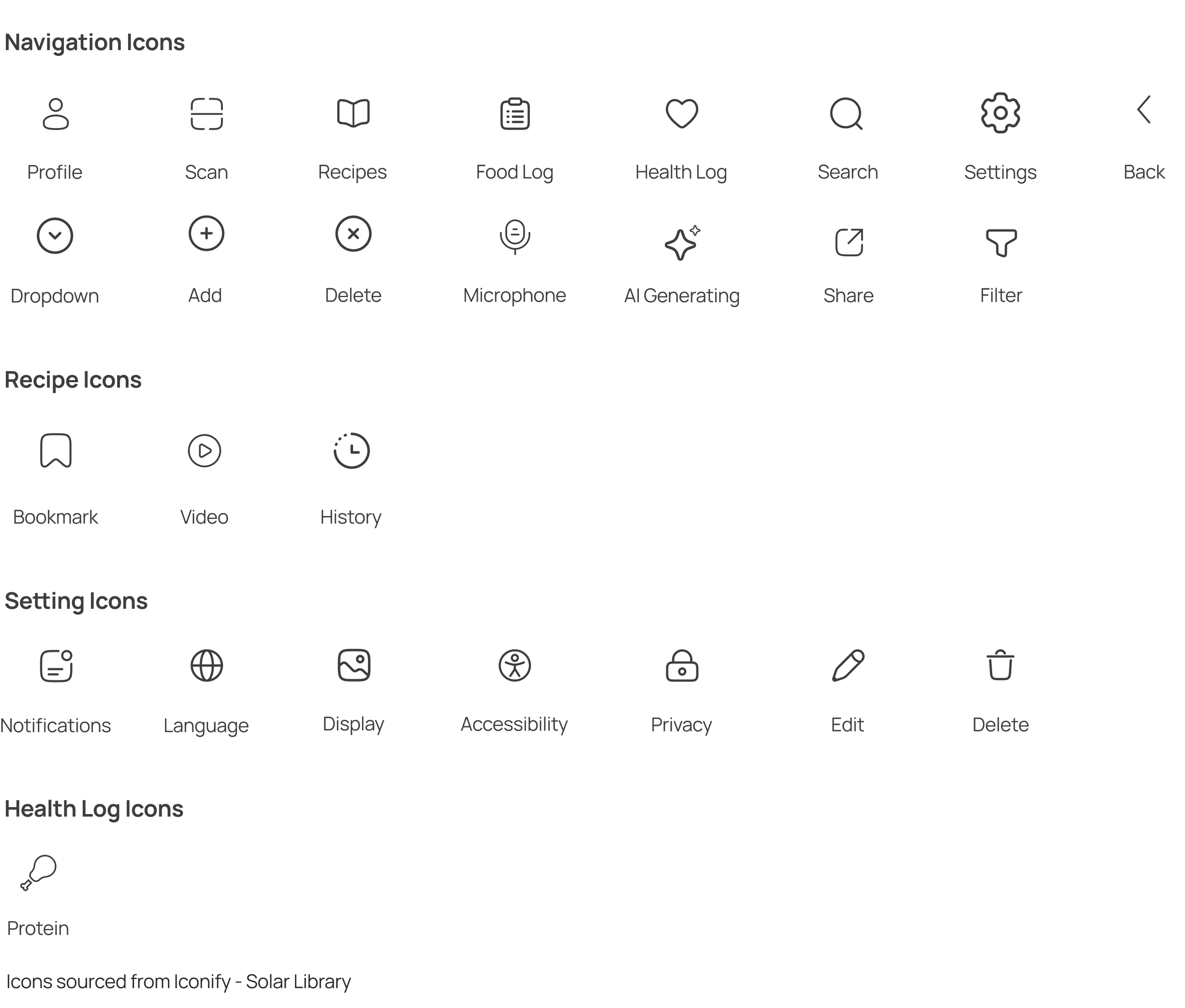
Key Takeaways
I learned how to design intuitive and trustworthy AI interactions that personalize user experiences while maintaining user control. Developing the scanner and recipe generator deepened my understanding of how AI can make health tracking and meal planning more seamless.AI-Driven Design
Collaborating with a team on this project taught me the value of clear communication, teamwork, and knowing when to take initiative. This experience reinforced the importance of remaining organized and supportive in a collaborative design process to create a cohesive product.Collaboration
