

Kanvas
Roles
Research, Product Design, UX/UI Design, Wireframing, User Testing, Prototyping, Design System, Branding
Solo
Team
Timeline
Fall 2025 - Spring 2026
24 Weeks
Tools
Figma
Illustrator
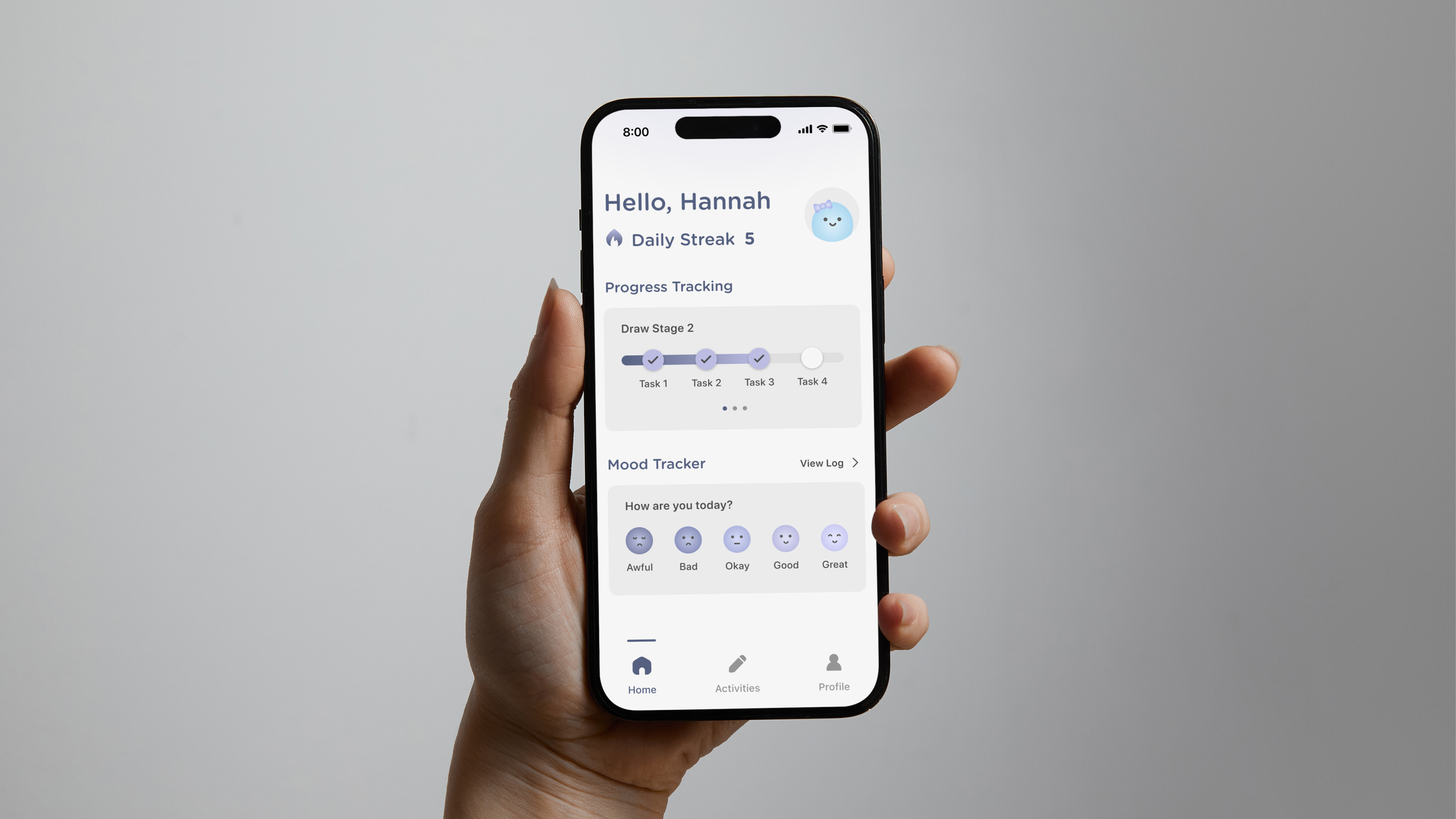
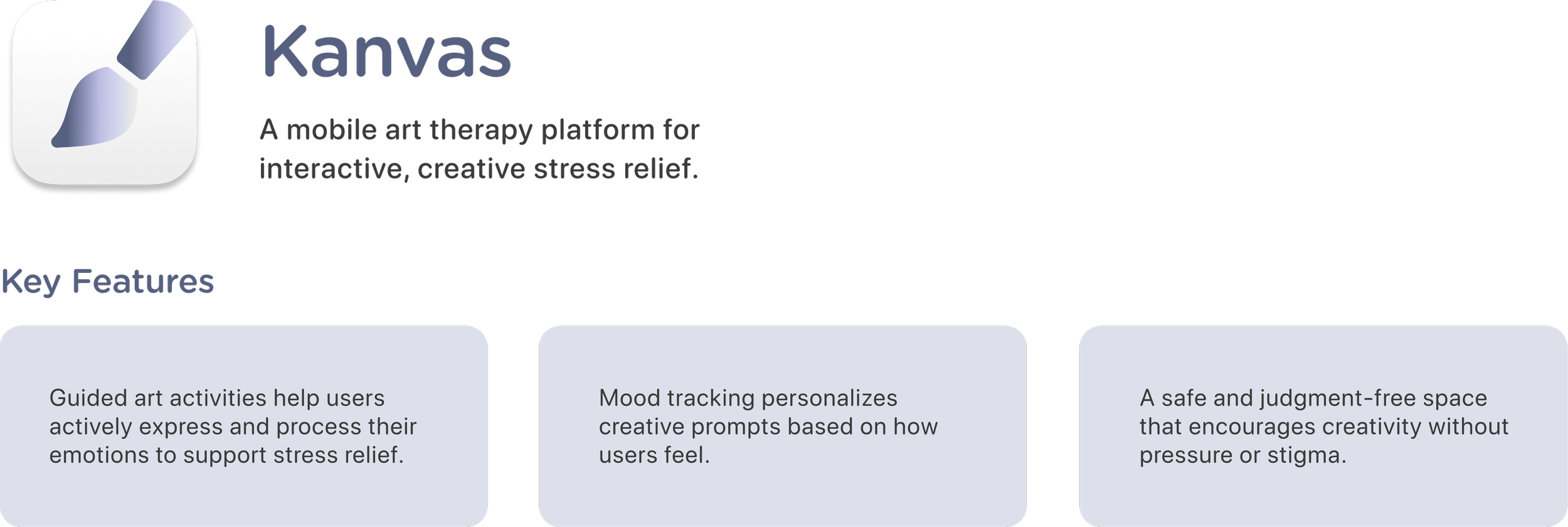
Kanvas is a mobile art therapy app where users can engage in creative and interactive art activities as a coping mechanism for managing stress in their daily lives.Product Overview
Context

Research Question
Stress is an increasingly common experience for teens and young adults, often driven by academic, financial, and social pressures. However, traditional therapy is not always accessible, there is stigma surrounding it, and many coping mechanisms are passive or unhealthy, failing to support emotional processing. This led me to explore how interaction design can support more active, expressive forms of stress relief through digital art therapy, an accessible adaptation of traditional art therapy.The Problem

Research & Discovery
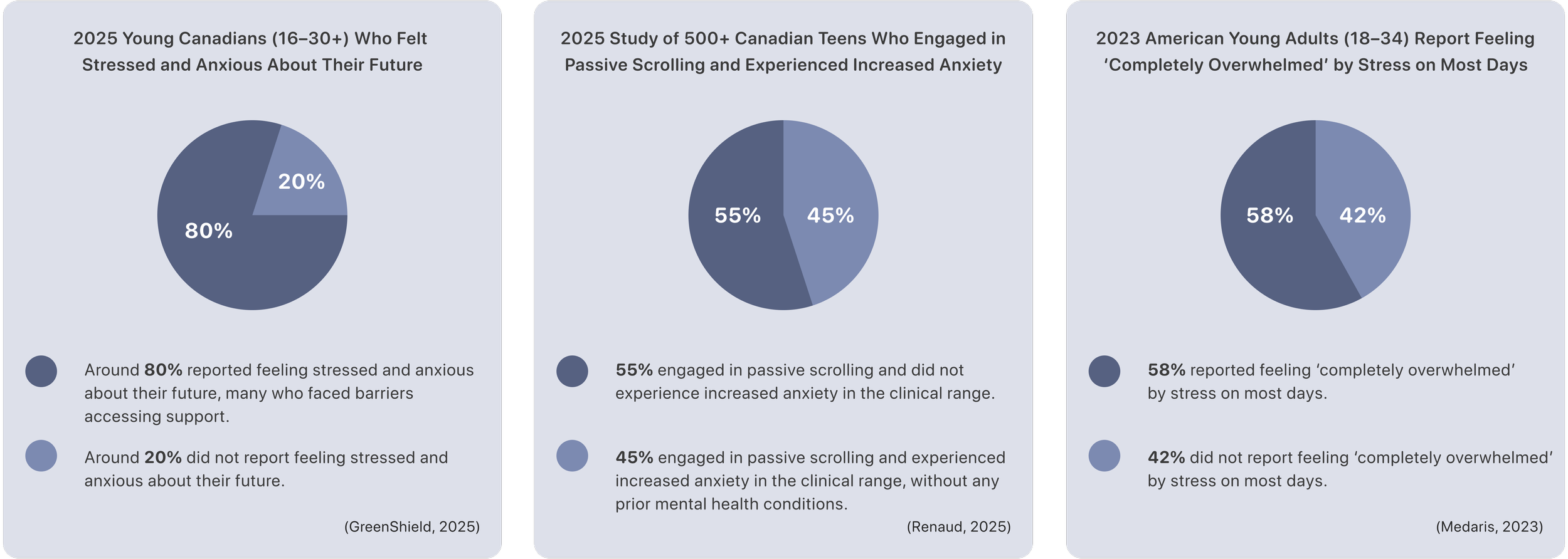
The statistics I found highlight the scale of stress among teens and young adults, justifying the need for accessible and engaging mental health solutions like digital art therapy.Statistics & Facts
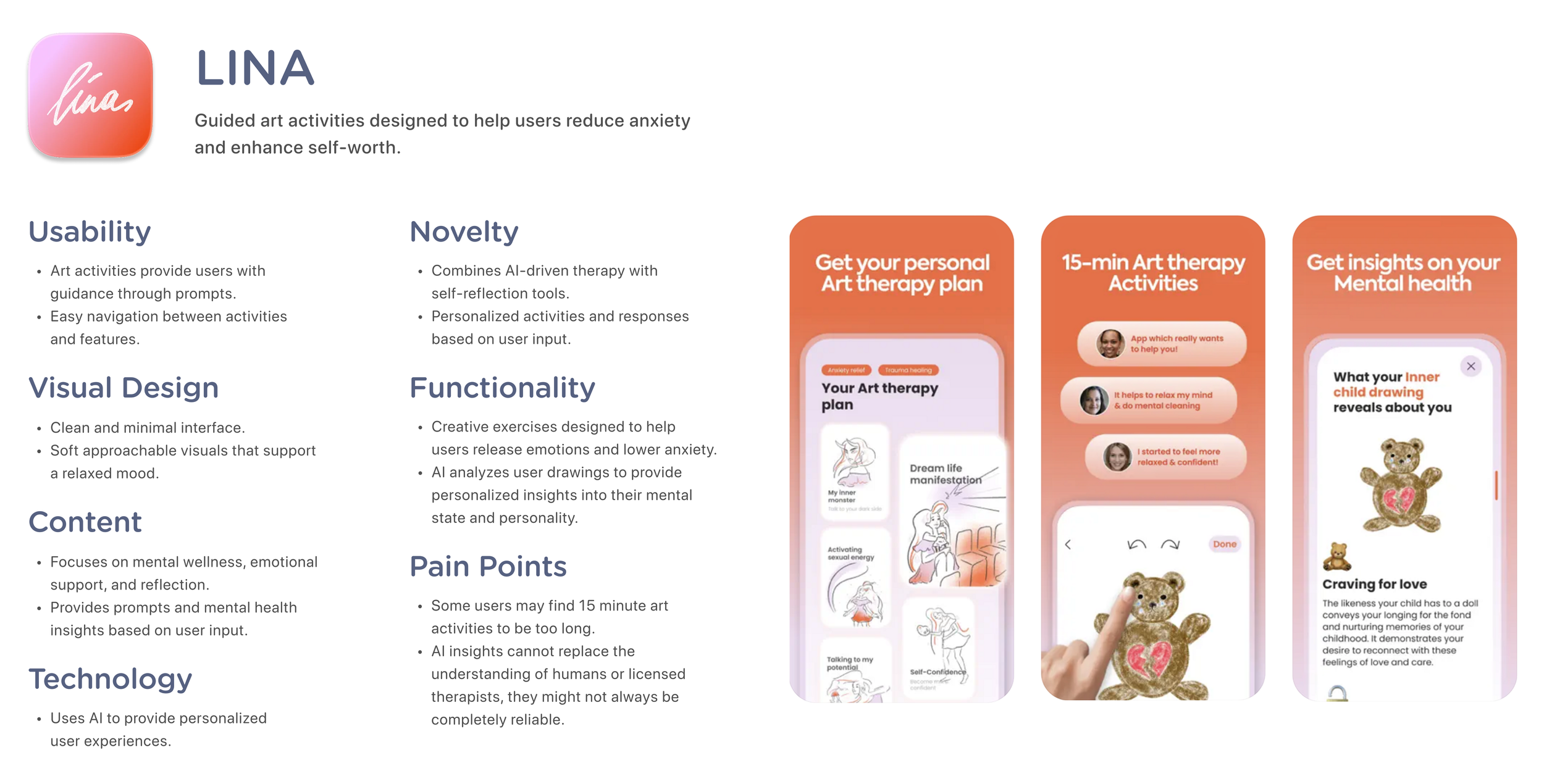
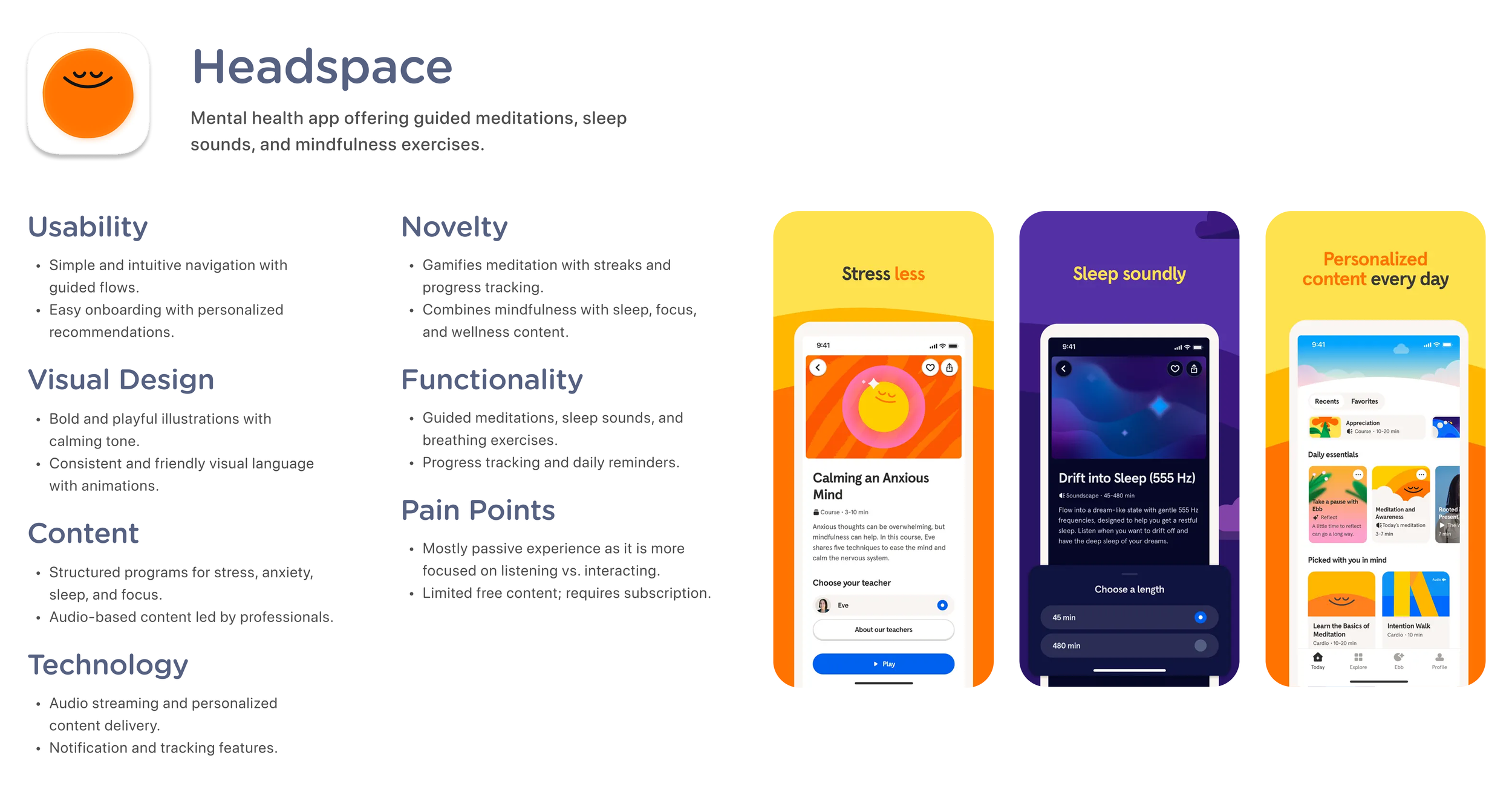
I explored existing art and mental health apps to understand current design approaches, strengths, and limitations. This helped me identify gaps in engagement, interactivity, and creativity, which informed opportunities for my design.Benchmark Analysis
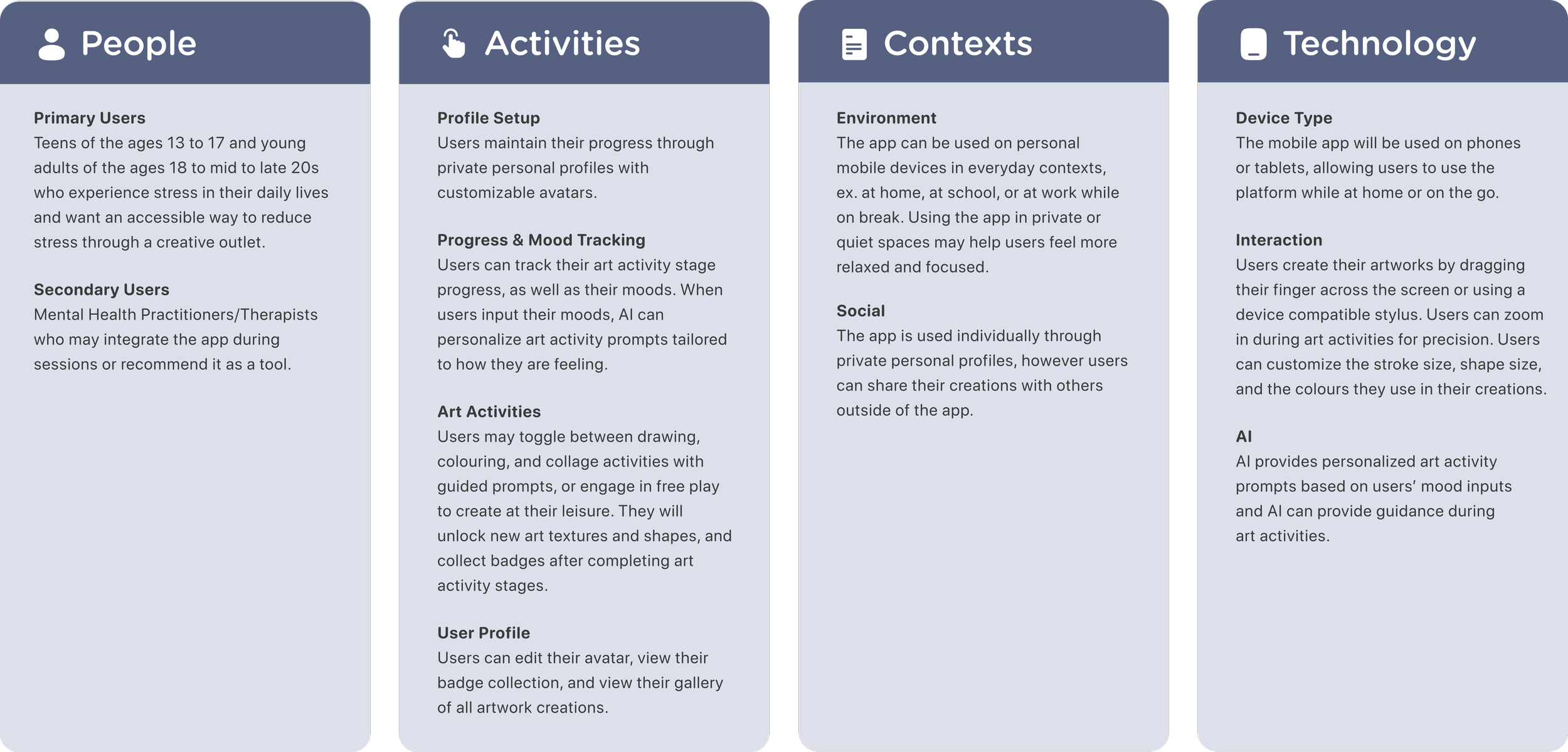
Through a PACT analysis, I defined how users would interact with the product by examining user characteristics, tasks, environments, and devices to inform key design decisions.
PACT Analysis
Solution
User Modelling
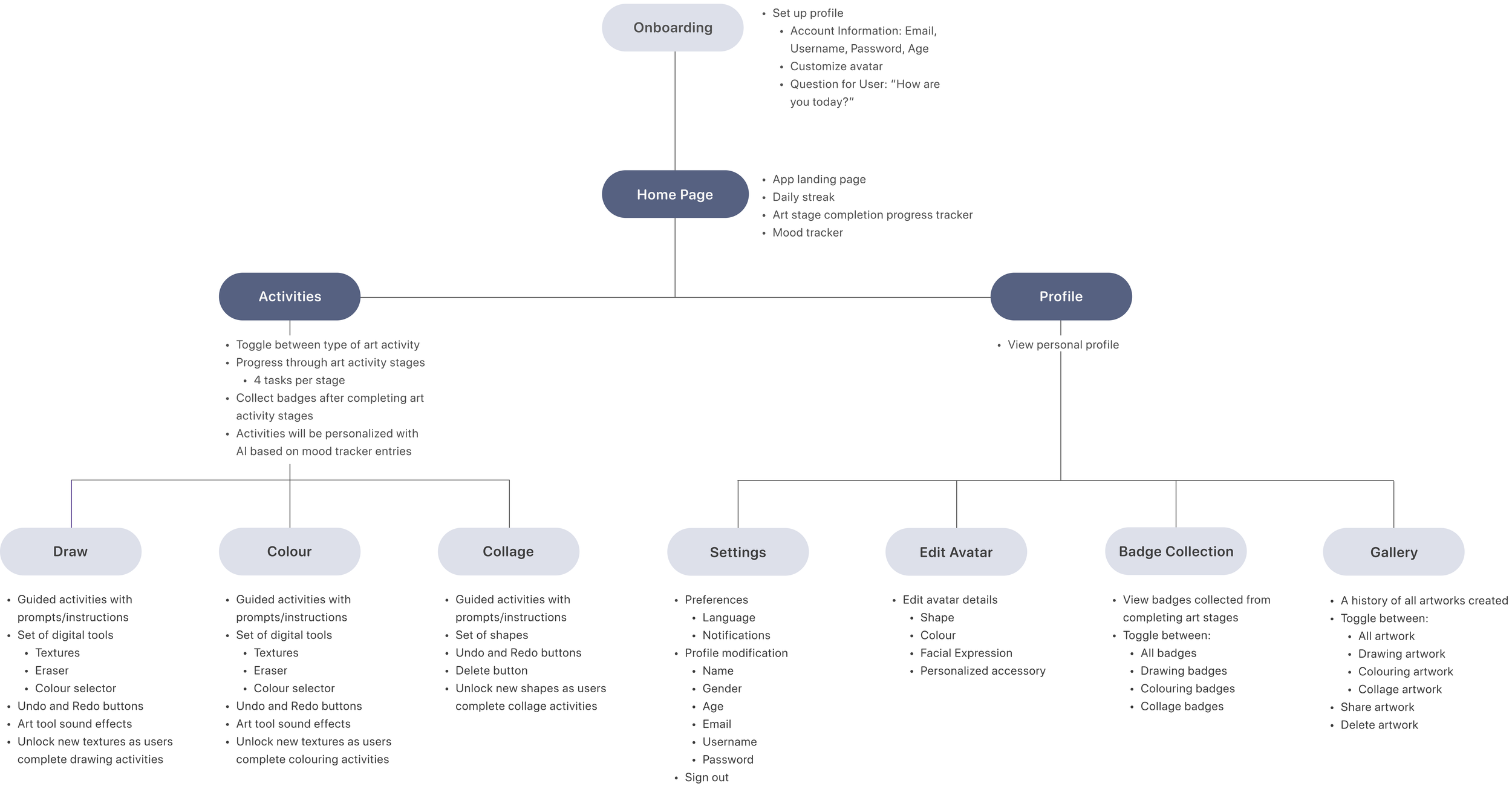
I developed a system map based on the app’s core features and user flows. Users begin with onboarding to create a profile that tracks their progress, and navigate between three main pages: the home page, activities, and profile.System Map
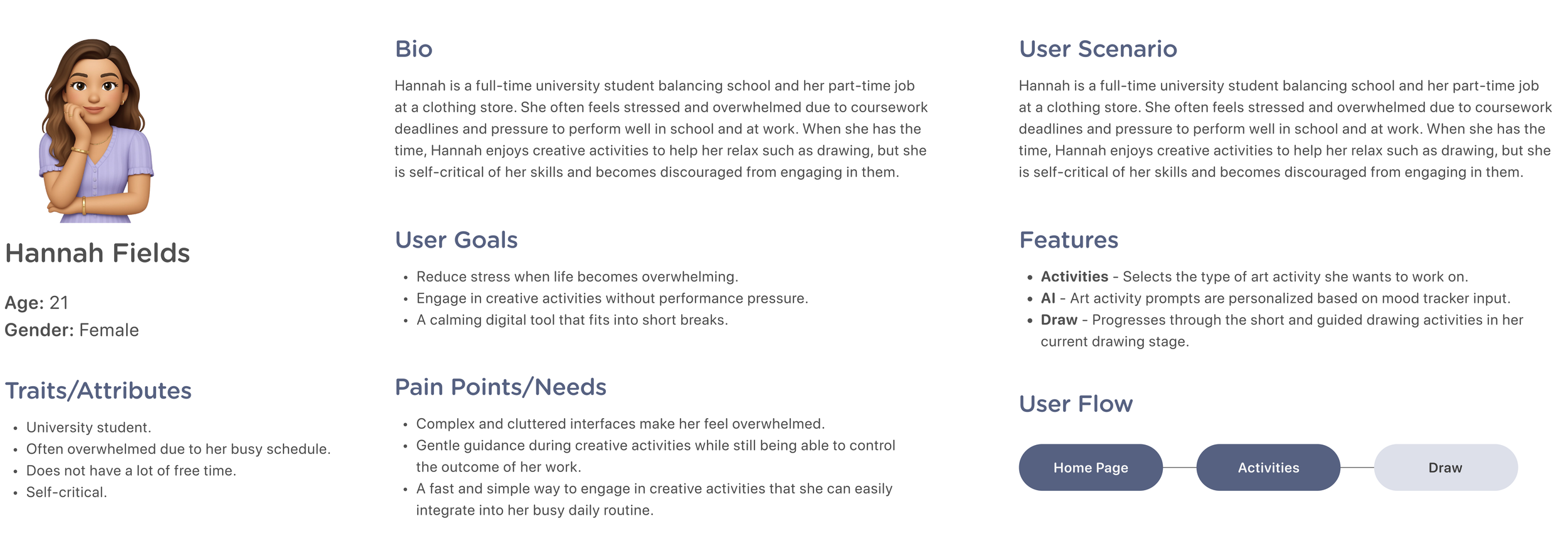
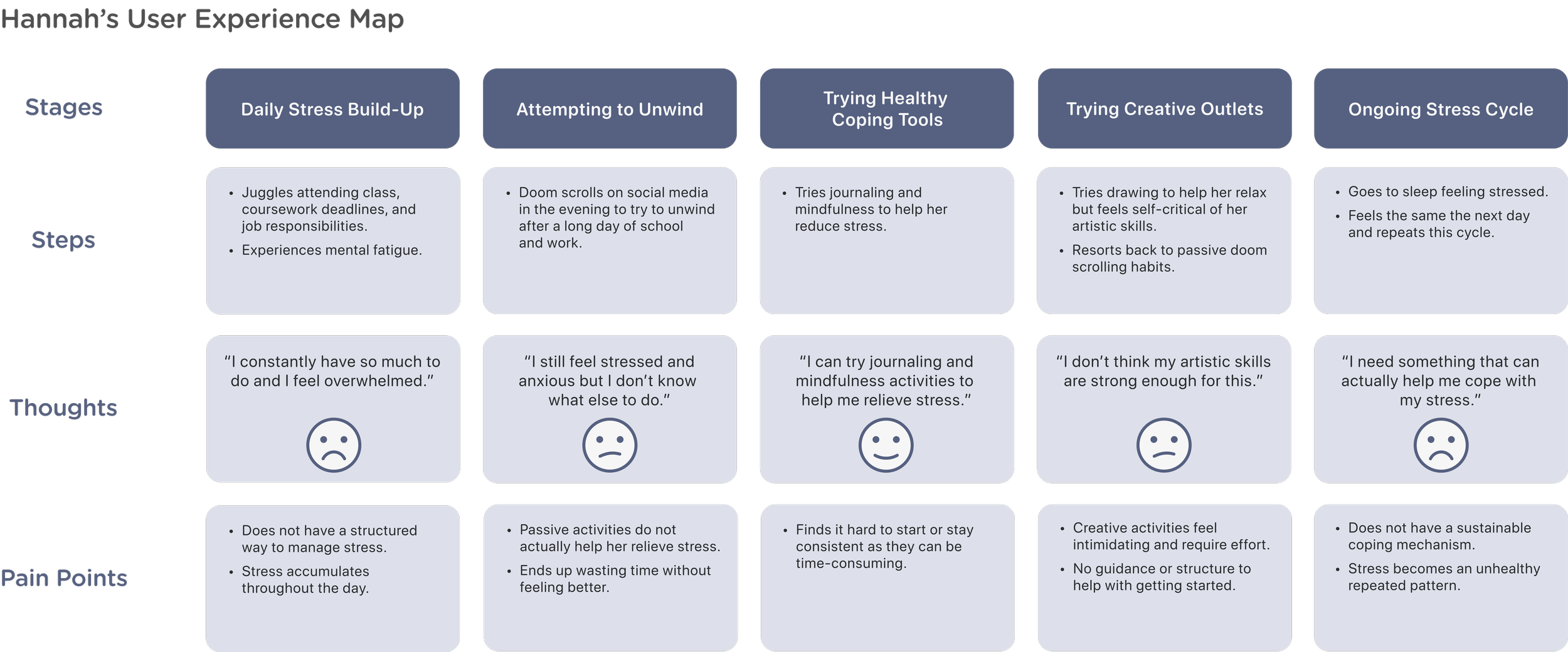
I created user personas based on my research to represent the target audience for Kanvas. Creating user personas helped guide my design decisions, ensuring the app remains user-centered while addressing real needs and challenges.User Personas
User Testing
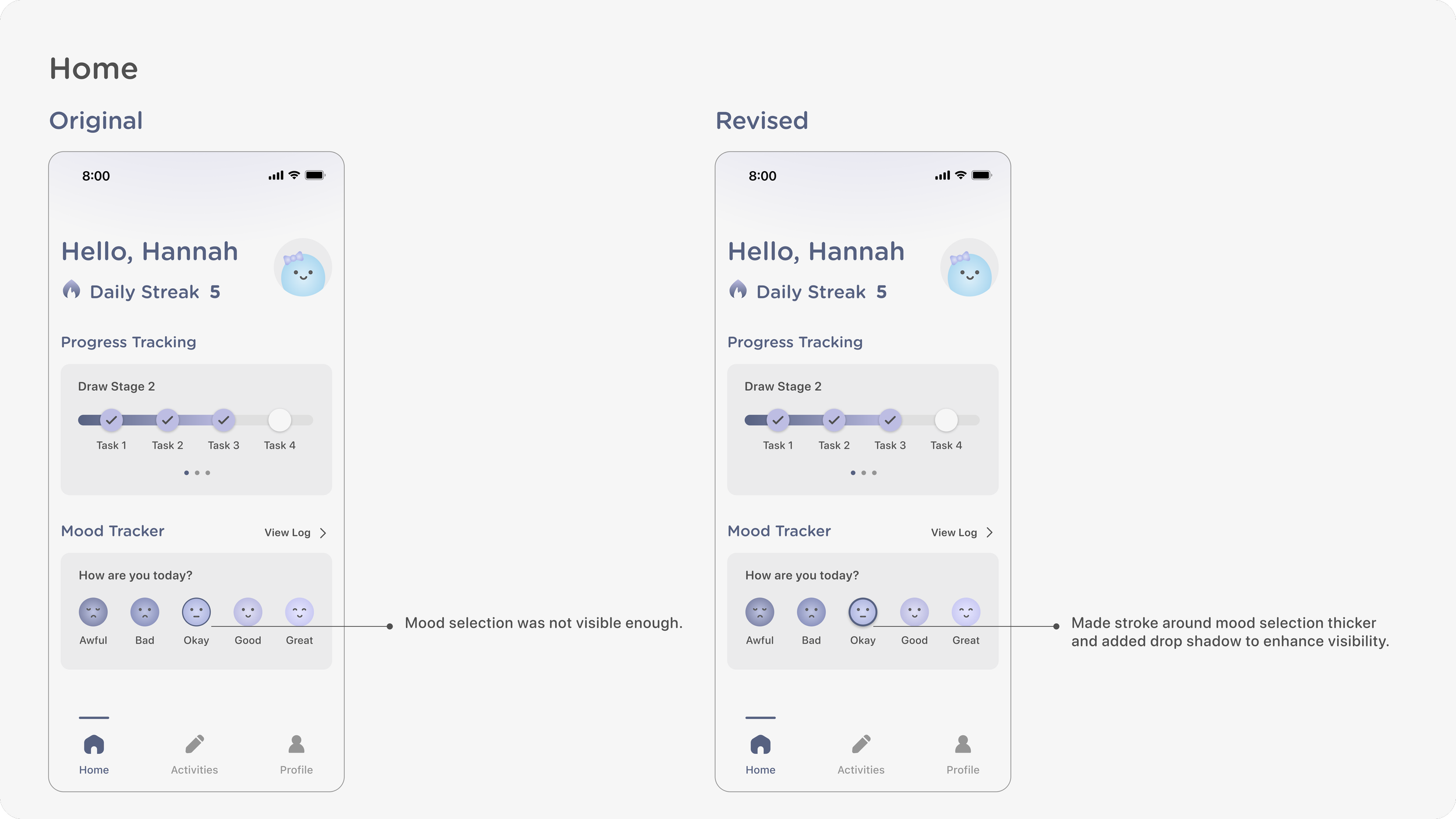
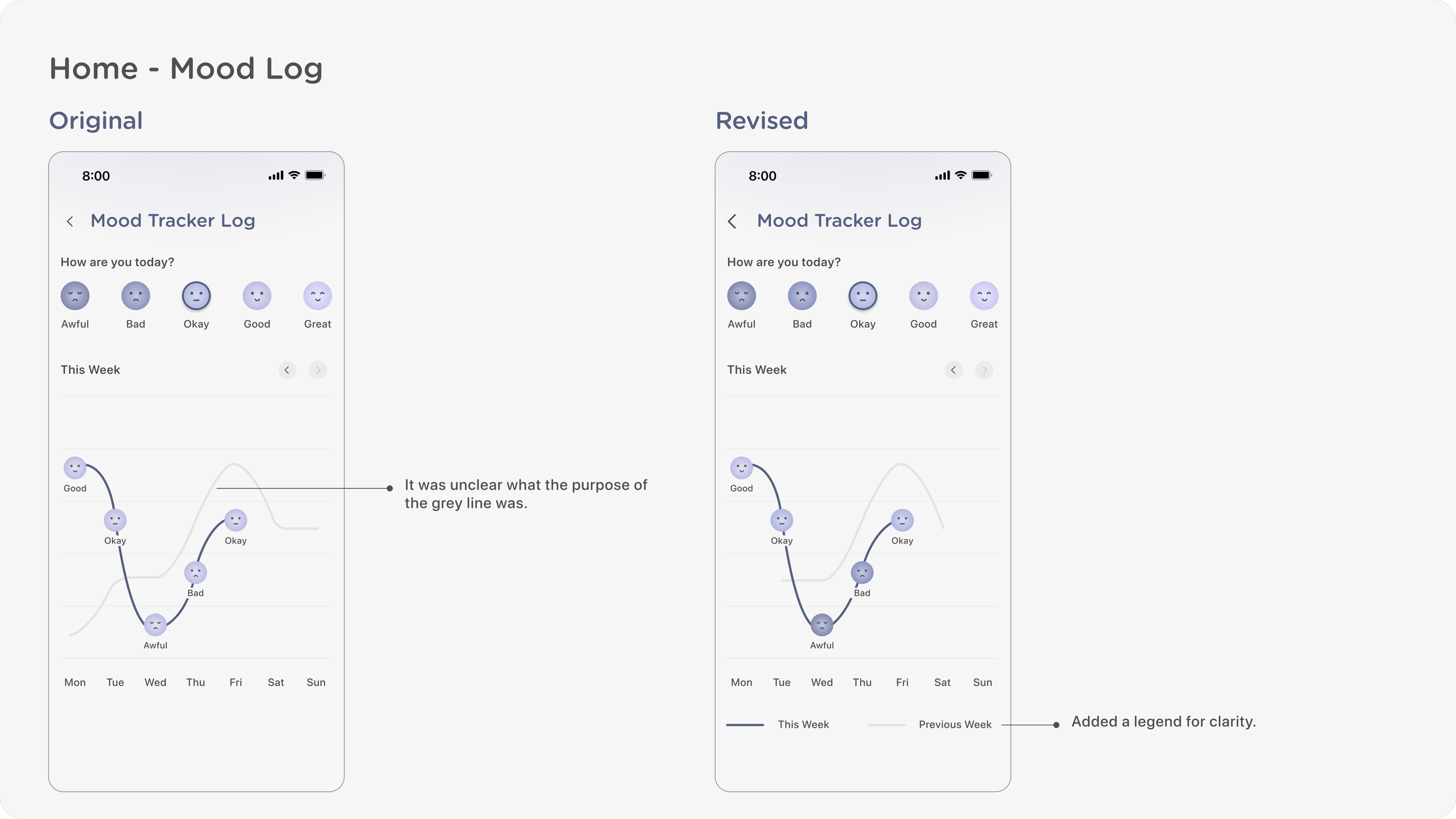
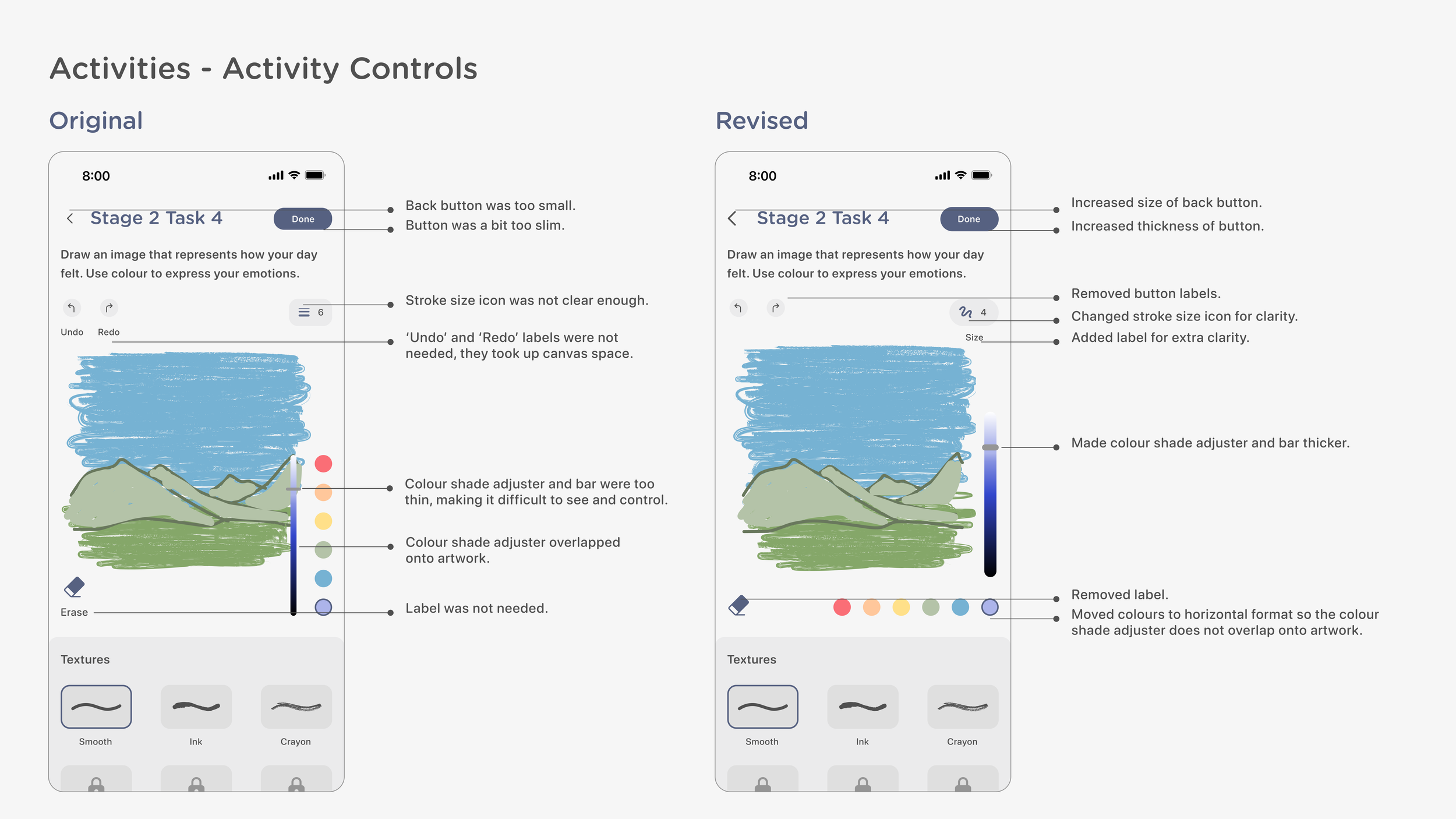
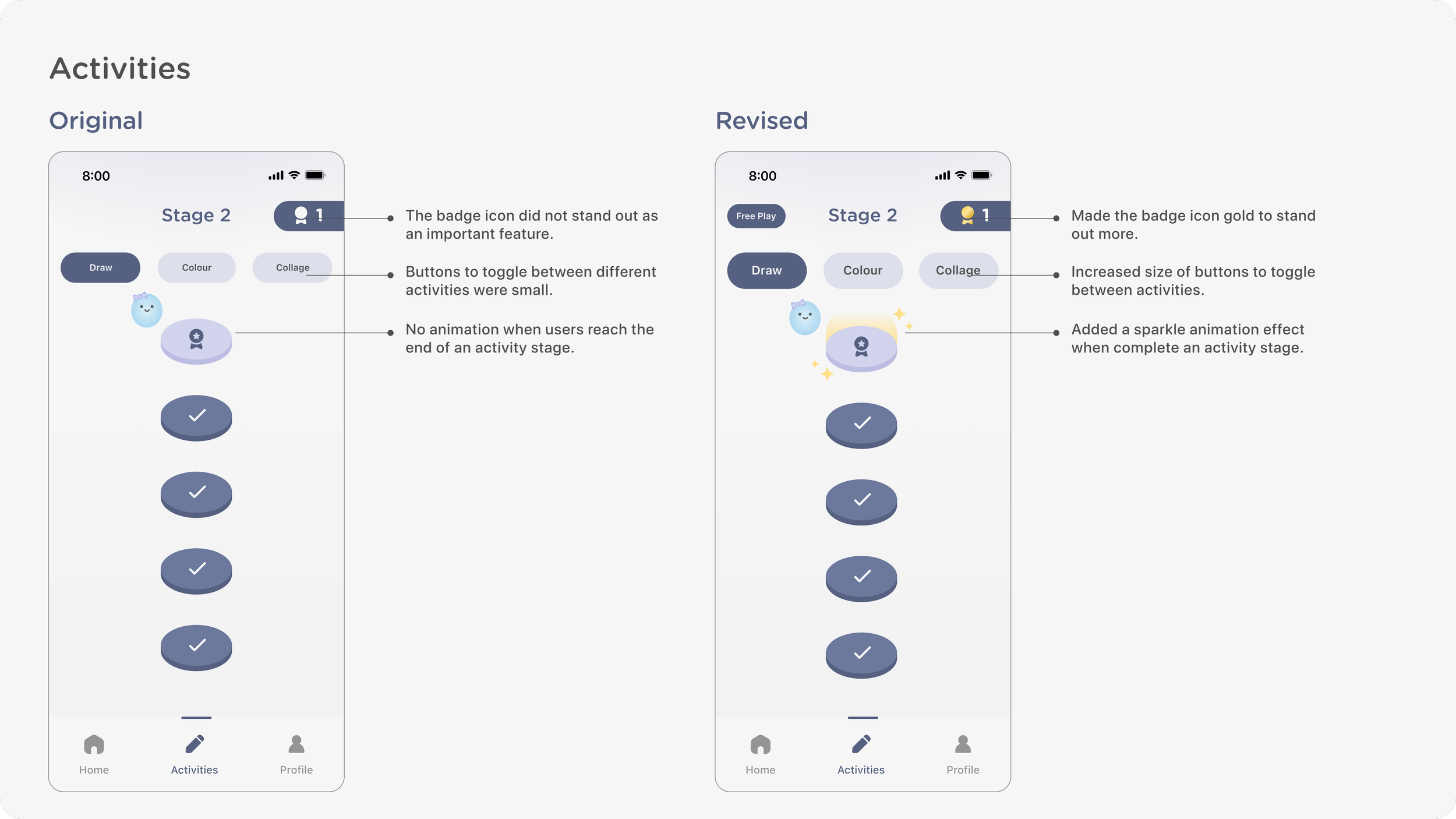
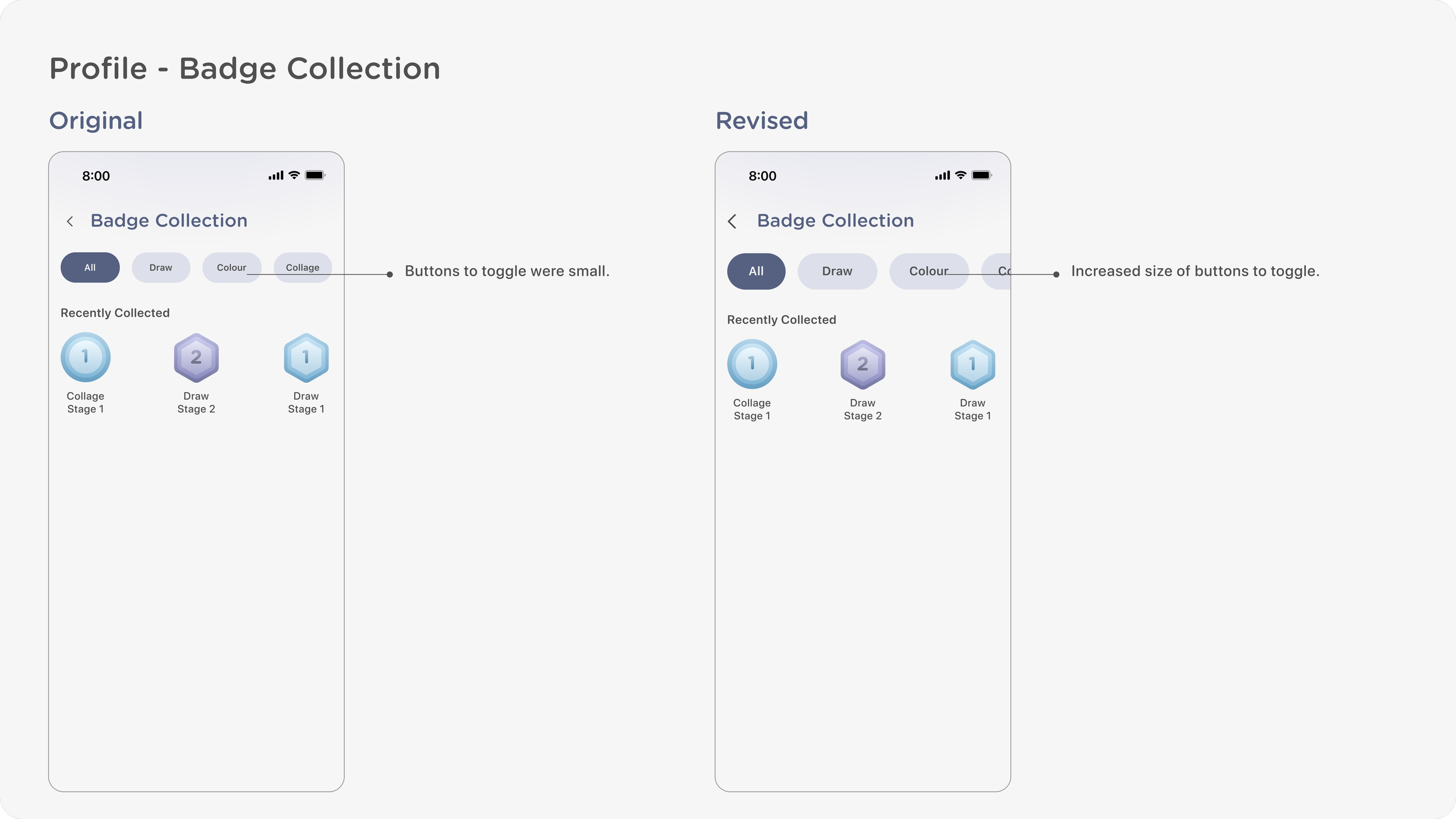
I conducted user tests with 5 young adult participants to receive feedback on my initial app prototype, allowing me to identify where I could improve the interface design and user experience.User Tests
Prototype
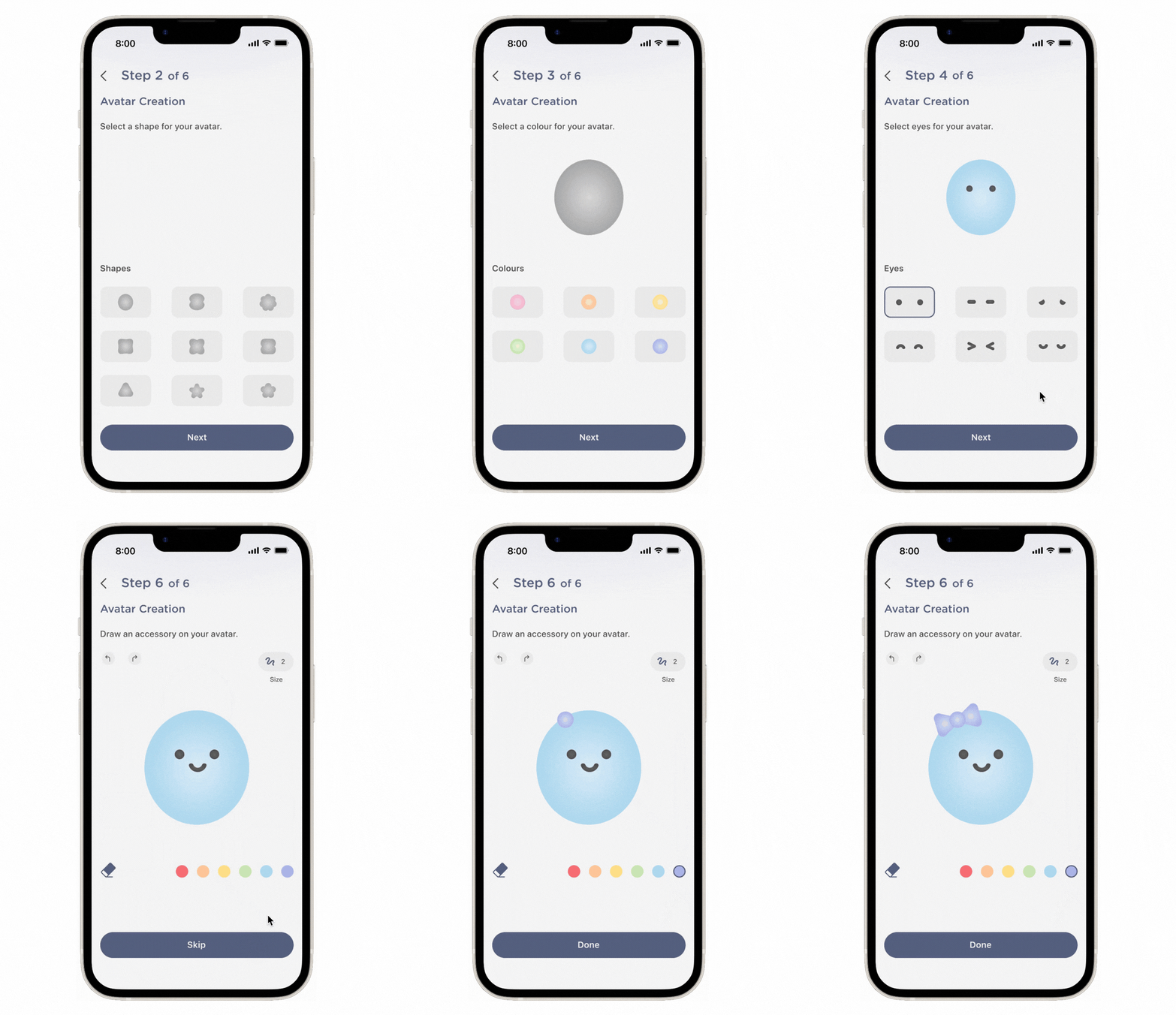
During the onboarding process, users set up their private personal profiles to maintain their progress. Users are prompted to create their own customizable avatar. As an optional step, users may draw an accessory of their choice on their avatar for a personalized touch.
Profile Set Up
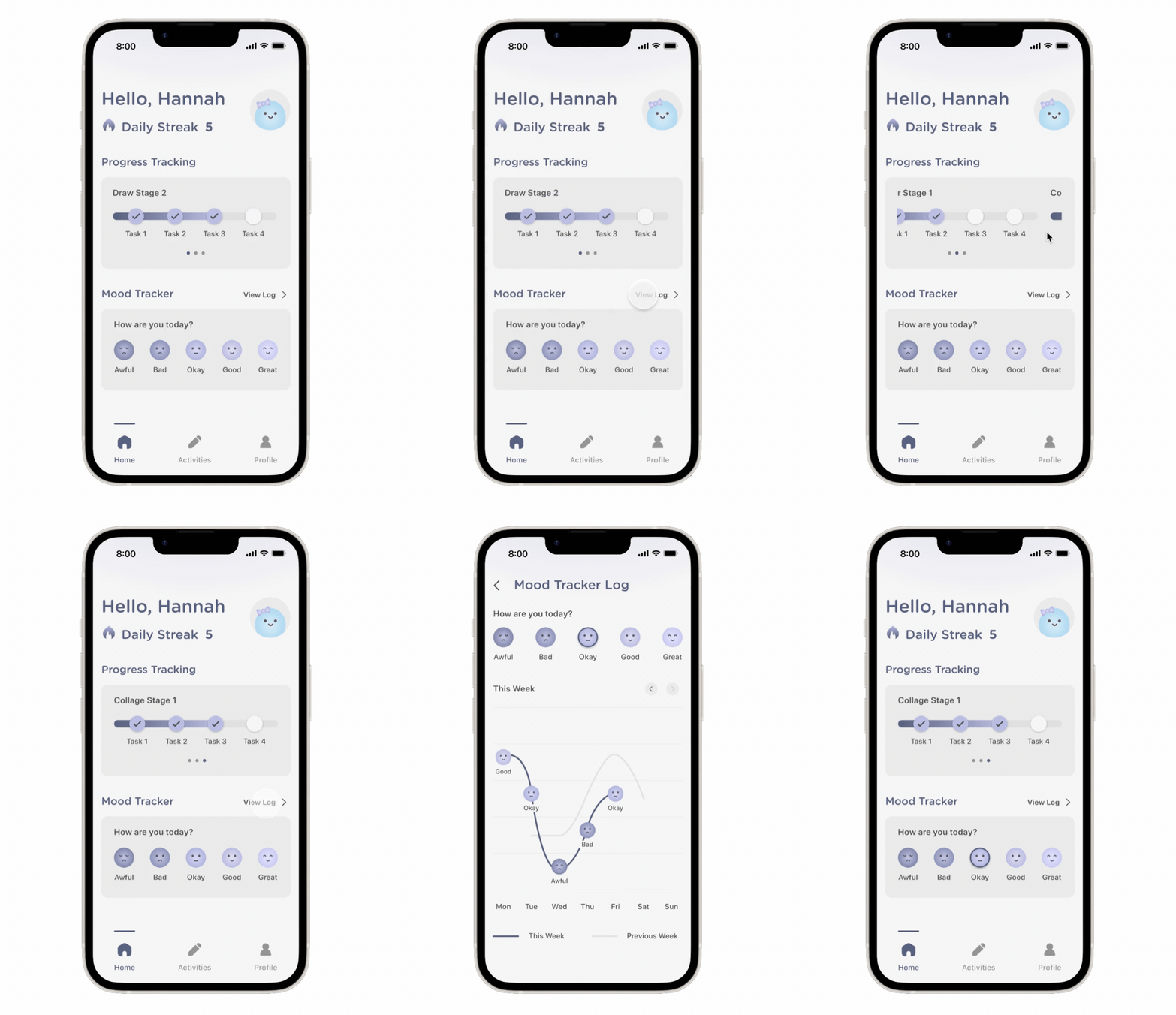
On the home page, users can track their progress in art activity stages. They may also track their moods by selecting how they are feeling, allowing AI to personalize art activity prompts tailored to users’ moods.
Progress & Mood Tracking
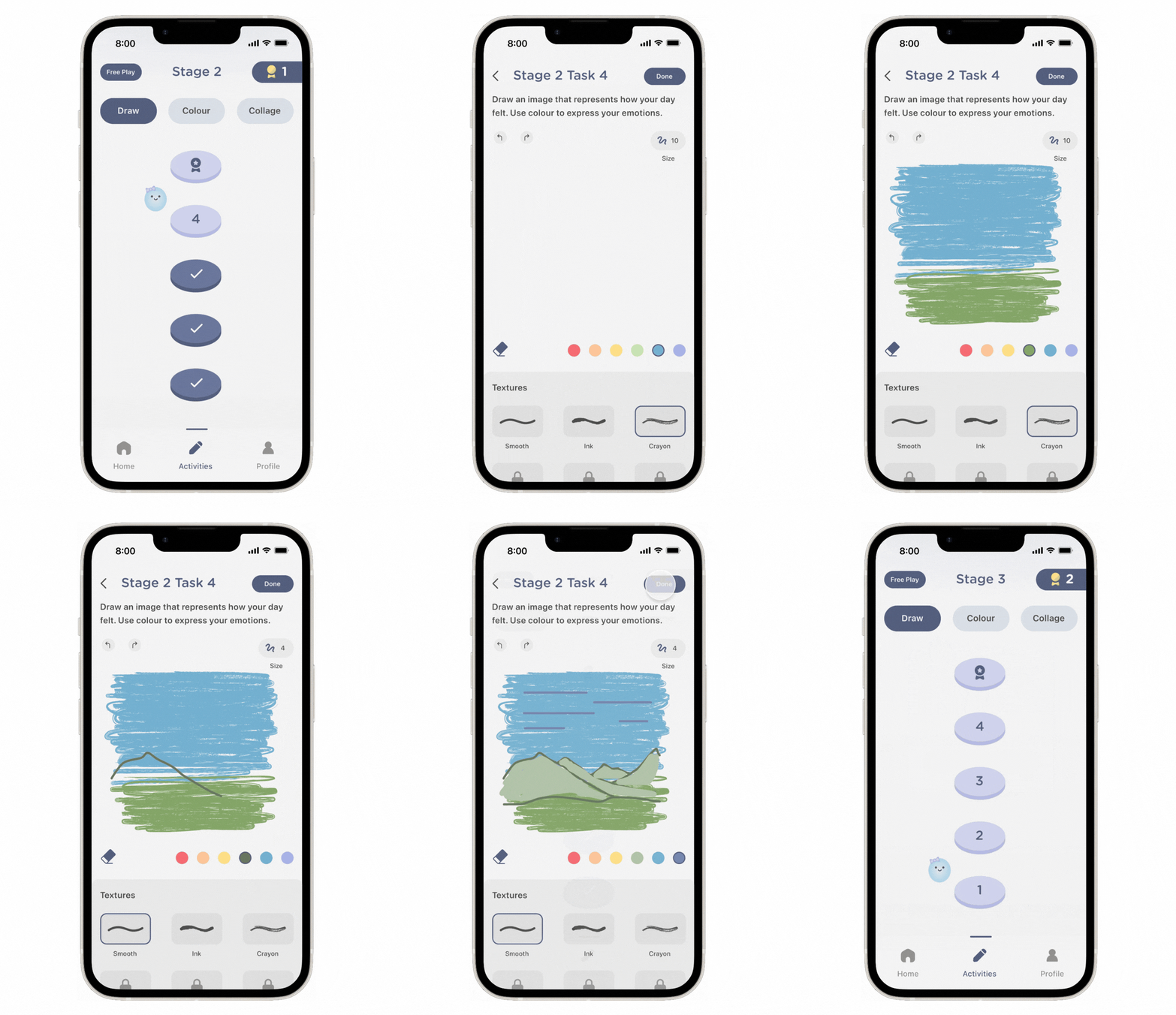
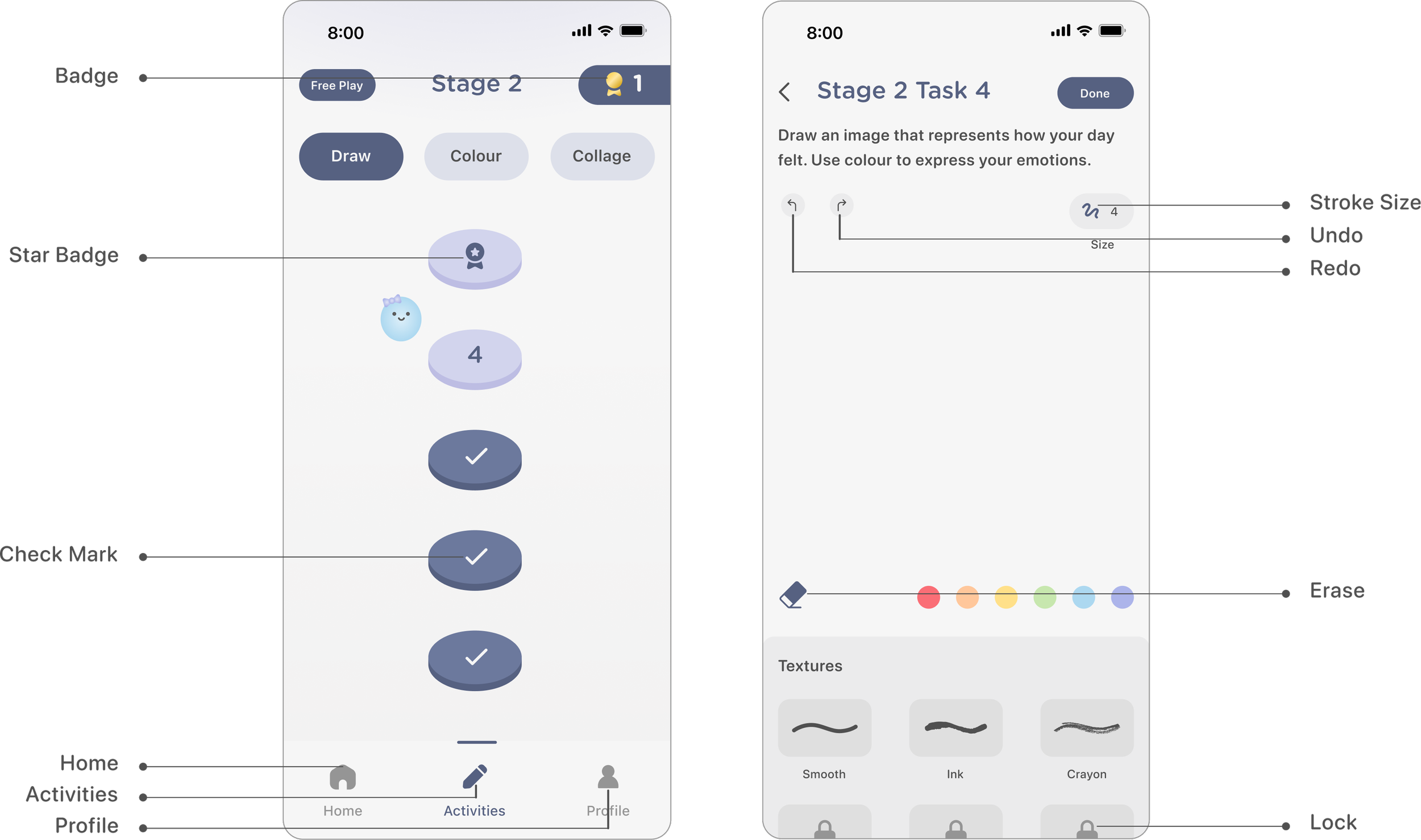
Users can engage in short, guided, and low-pressure art activities through 3 types of activity formats; drawing, colouring, and collage-making. Prompts frequently provoke users to reflect on their emotions. As users progress through art activity stages they will collect badges and unlock new textures and shapes to use for their creations. A free play mode is also available for users to create at their leisure.
Art Activities
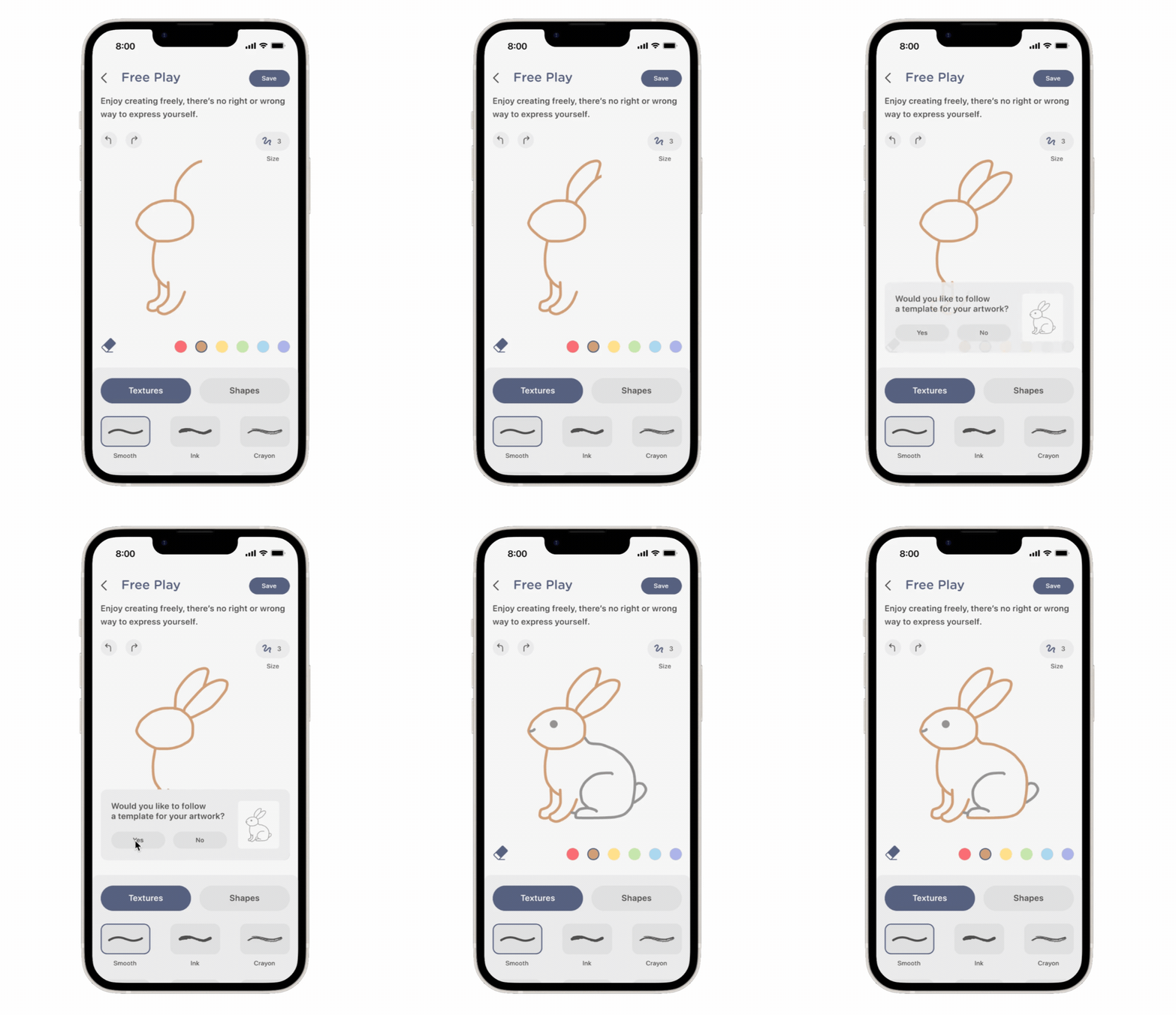
AI detects when users may need support with their creations and offers optional templates to help them continue and complete their artwork, reducing frustration while maintaining creative control.
AI Guidance
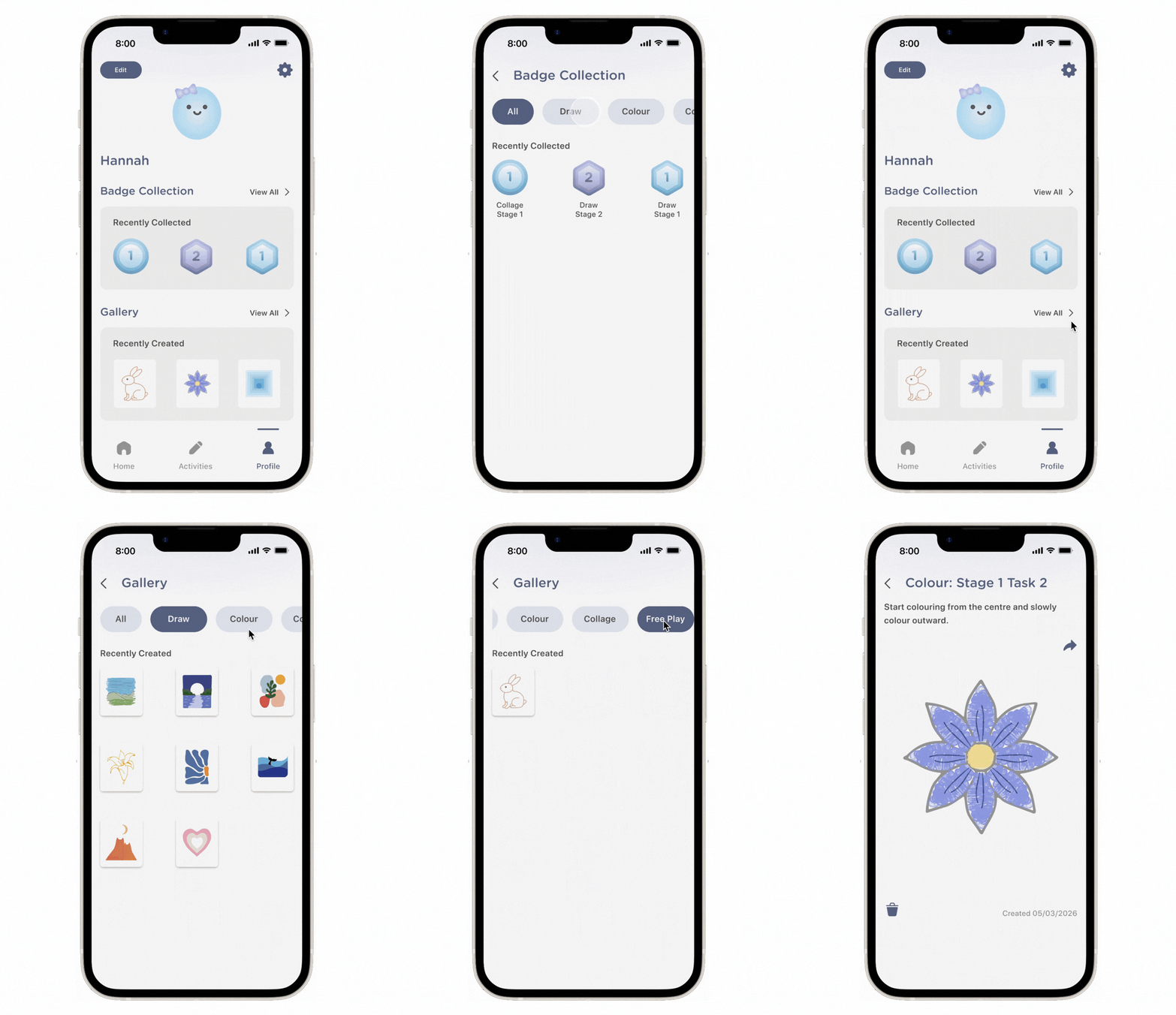
On the user profile page, they may view their badge collection to see all badges collected from completing art activity stages. They may also view their gallery where all artworks created are automatically saved, allowing users to review their creations and share them with others outside of the app.
Badge Collection & Gallery
Avatar Design
The avatar system uses shapes with customizable colours and facial expressions to create an approachable and low-pressure form of self-representation.Customizable Avatars

Design System
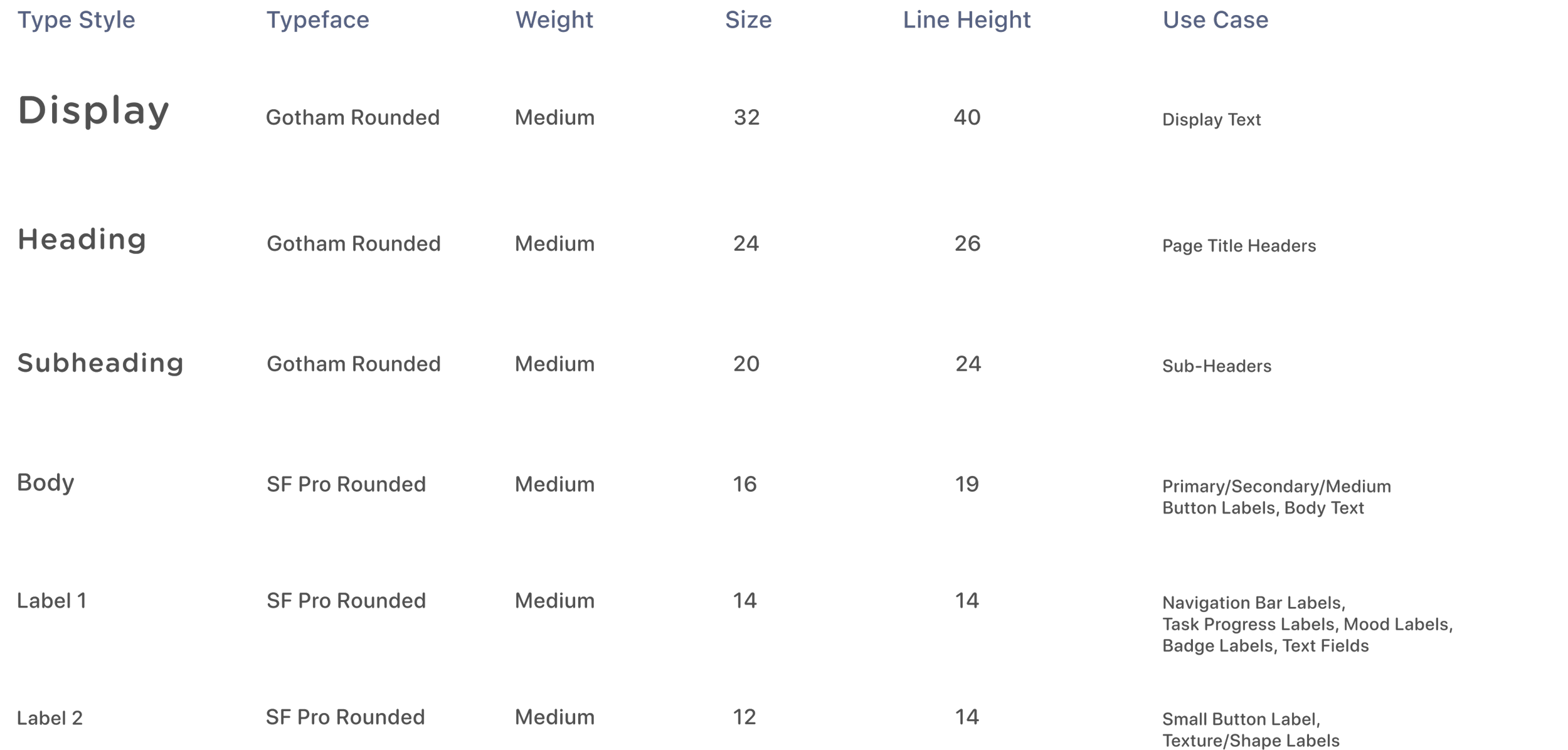
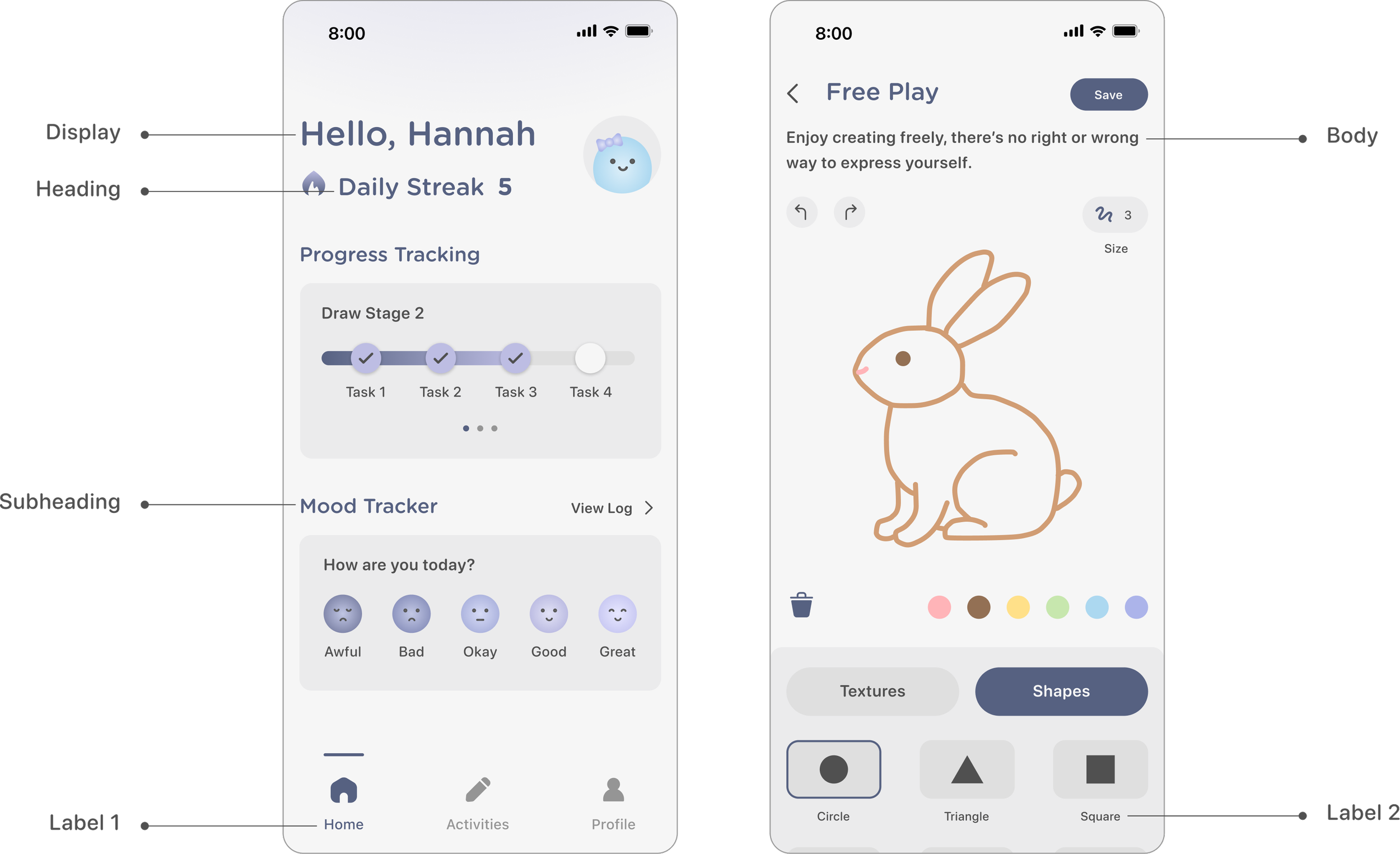
I set clear typography guidelines to consistently apply across the app with assigned use cases. The simple sans-serif typeface enhances readability and clarity, supporting an accessible user experience. The curved edges of the letters also match the curved design elements throughout the app design.Typography
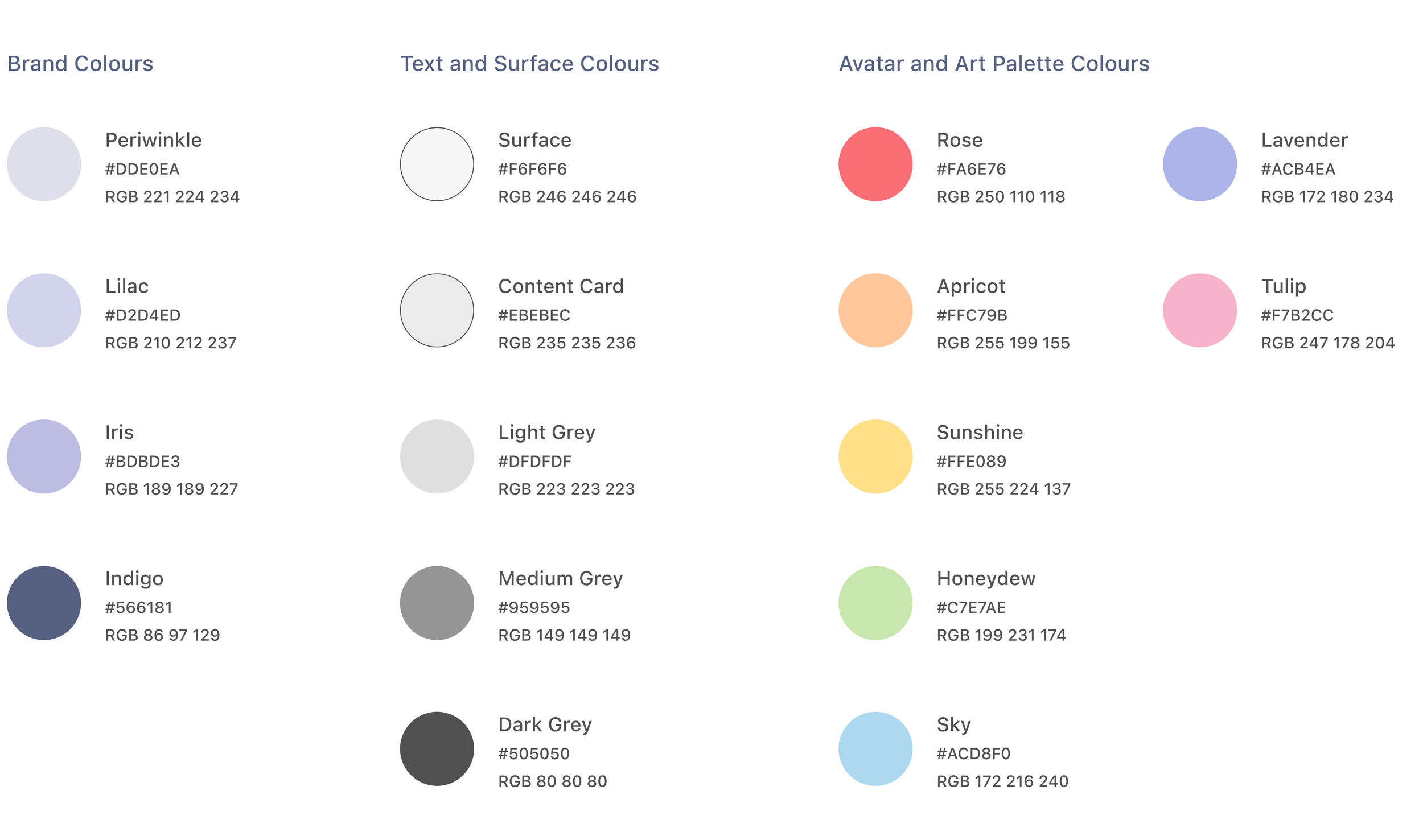
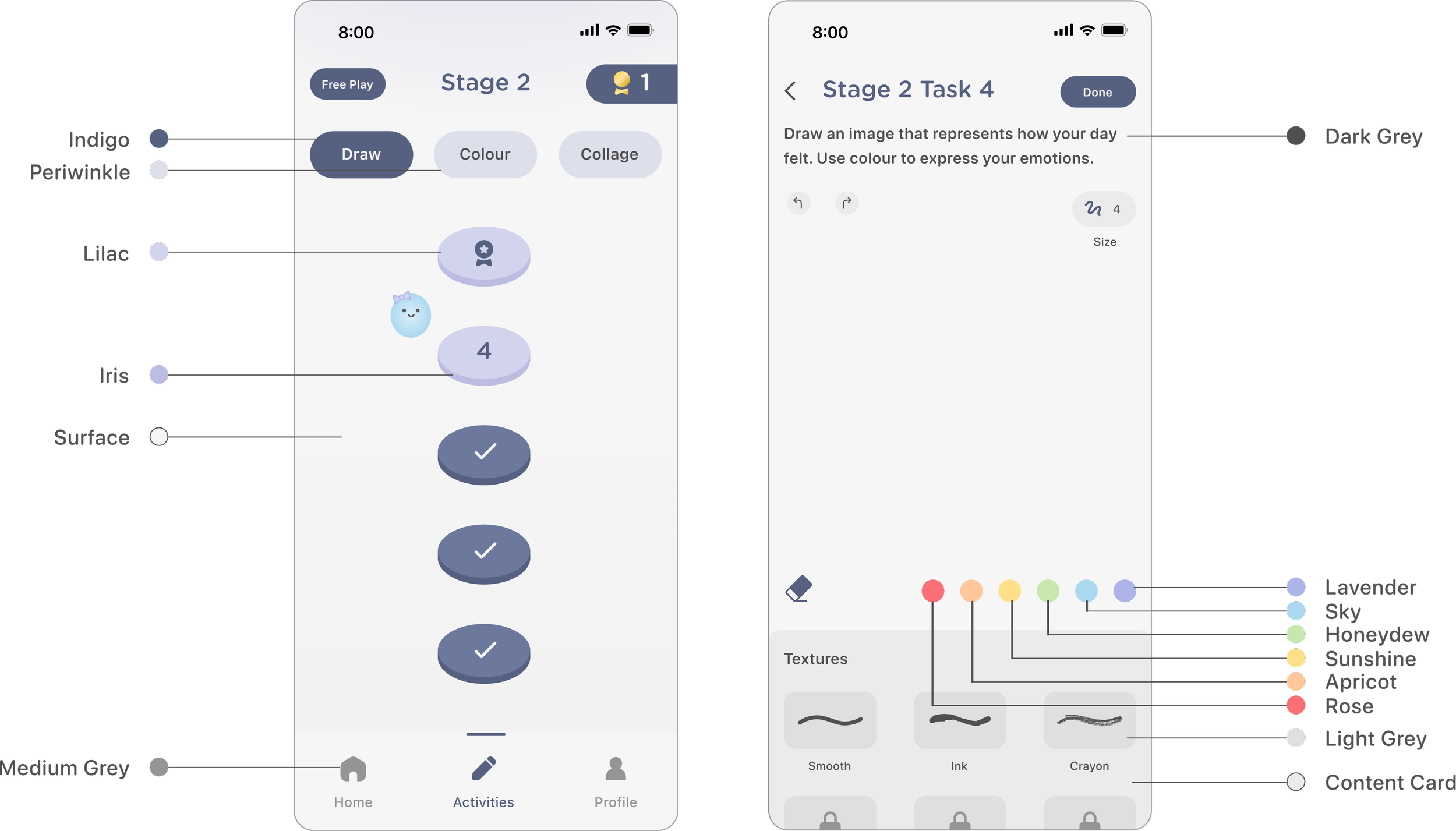
I consistently applied the brand colours throughout the app, using shades of purple from the logo. The overall palette is kept neutral to ensure users’ artworks remain the primary visual focus, supporting personal expression without visual distraction.Colours
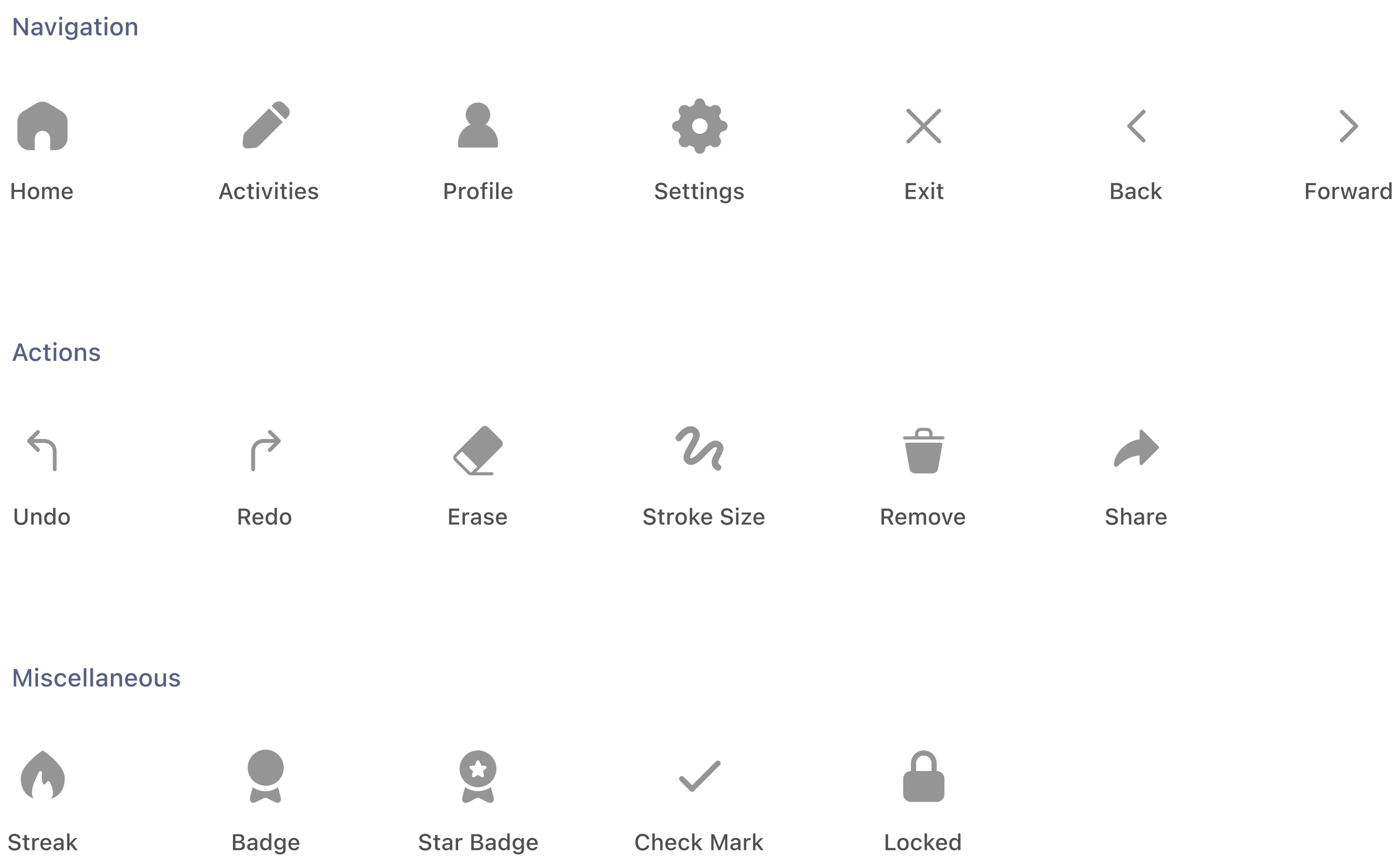
A concise set of recognizable icons was used to improve clarity, consistency, and support a user-centered experience.Iconography
Key Takeaways
As I worked on this project, it reinforced the importance of reducing cognitive load and creating low-pressure experiences when designing for mental health. Small design decisions, such as guided prompts and minimal interfaces, play a significant role in making users feel comfortable and supported.Simplicity and Intention
Using research to ground my design decisions ensured that the concept of my digital product addressed real users needs, resulting in a thoughtful design outcome.Research-Driven Design
